
Order cadence and unusual orders on an account
Account ManagerVP of Sales
Transcript
- This workflow shows how to spot an account whose orders have changed from its usual pattern.
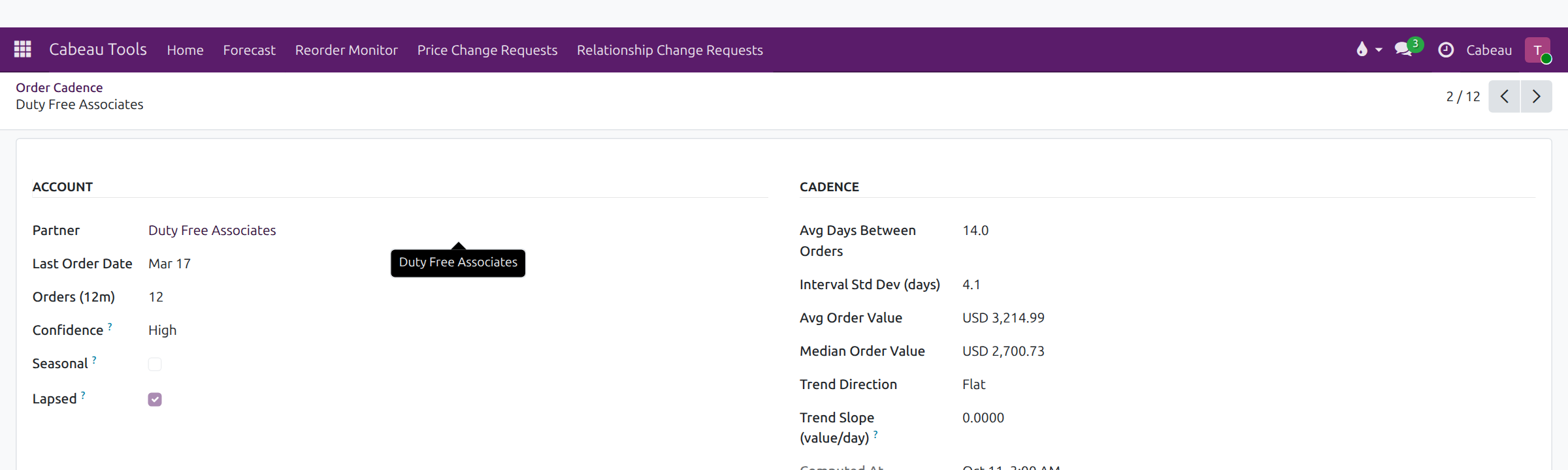
- Open an account in Order Cadence. You see the average and median order value, and how much the gap between orders varies.
- Trend shows whether orders are growing, flat or shrinking. Confidence tells you how far to trust the pattern.
- On your dashboard, Under Pace lists the accounts furthest behind their forecast this month, with the gap in dollars.
- The Forecast vs Actuals strip above it colours each month: green on target, amber close, red well behind.
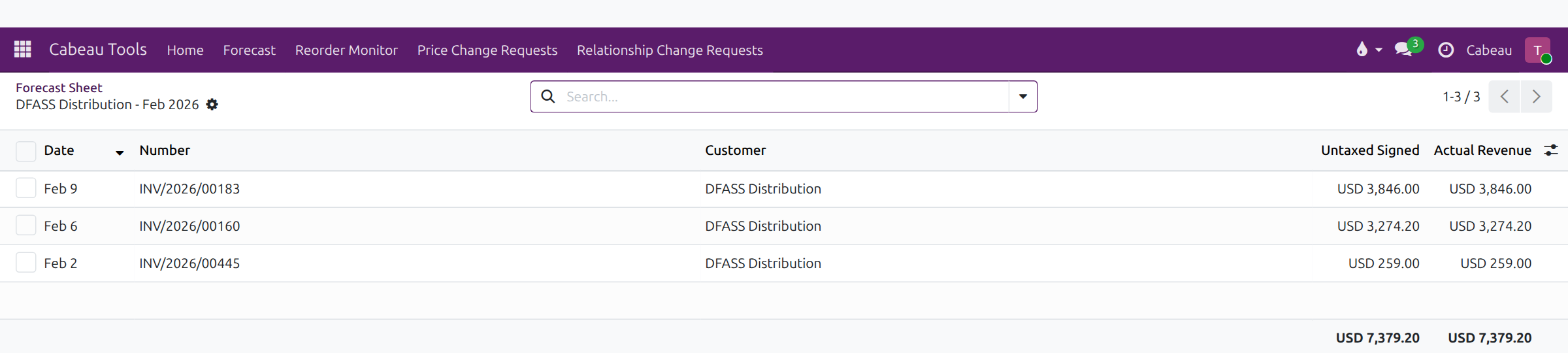
- In the forecast sheet, Forecast vs Actual puts each month's actual sales under the forecast, with the variance.
- Click an actual figure to open the invoices behind it.
- Below pace tasks go to the account's primary account manager. A customer health dashboard in Metabase is not linked from the Hub yet.
- That is how to spot unusual orders.
1. Read the pattern
Section titled “1. Read the pattern”Open the account in Cabeau Tools > Reorder Monitor > Order Cadence, or the account’s Order Cadence tab.
| Field | Tells you |
|---|---|
| Avg and Median Order Value | The typical order size; a big gap between the two means a few unusual orders |
| Interval Std Dev | How much the gap between orders varies |
| Trend | Whether orders are growing, flat or shrinking |
| Confidence | How far to trust the pattern, from the order history |
2. Find who is behind this month
Section titled “2. Find who is behind this month”Under Pace on your dashboard lists the accounts furthest behind their forecast this month, with the gap in dollars.
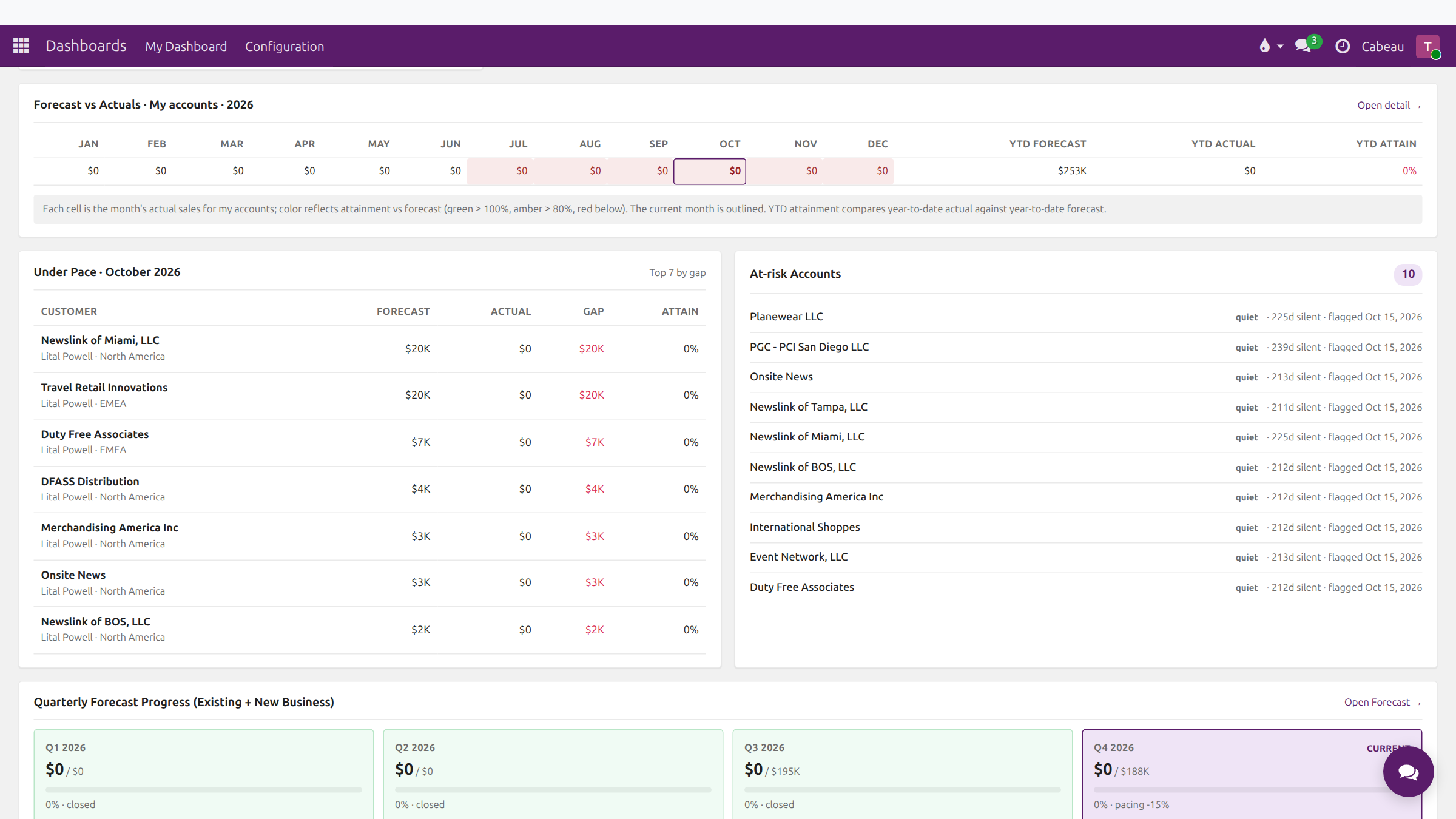
The Forecast vs Actuals strip above colours each month: green on target, amber close, red well behind.
3. Compare with the forecast
Section titled “3. Compare with the forecast”In the forecast sheet, Forecast vs Actual shows each month’s actual sales under the forecast, with the variance. Click an actual figure to open the invoices behind it.
The account also gets a below pace task when it falls behind its forecast. It goes to the account’s primary Account Manager.