
Finding new accounts with lead gen
Business DevelopmentVP of Sales
Apollo searches for the people Cabeau should talk to, such as buyers and category managers at travel retail, mass, off-price and distribution accounts, and turns them into leads in the pipeline.
Transcript
- This video shows how you find new accounts with Apollo discovery and Claude lead generation.
- Open Cabeau Tools, Apollo, Dashboard. Discovery looks for people who match these settings.
- Person titles sets the job titles, such as buyers and category managers. Person locations sets the countries to search.
- Industries narrows it to channels such as travel retail, duty free and department stores. Keywords narrow it further.
- Run discovery now searches Apollo with these settings. Generate with Claude finds matching companies on the web, and Apollo turns them into leads.
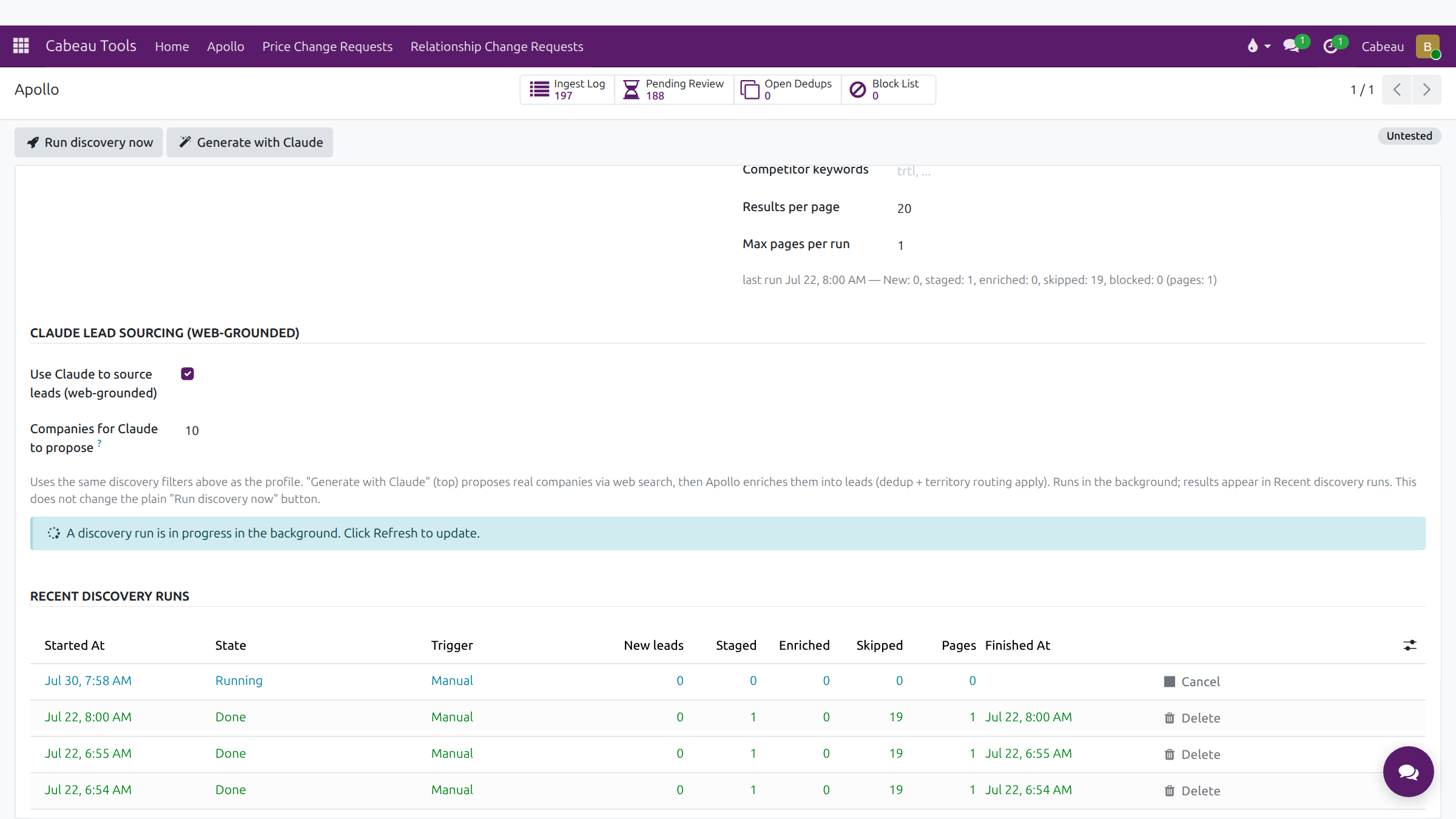
- Every run is listed under recent discovery runs, with how many leads it created, staged and skipped.
- The Ingest Log lists every person found. The fit score, out of one hundred, shows how closely each one matches your profile.
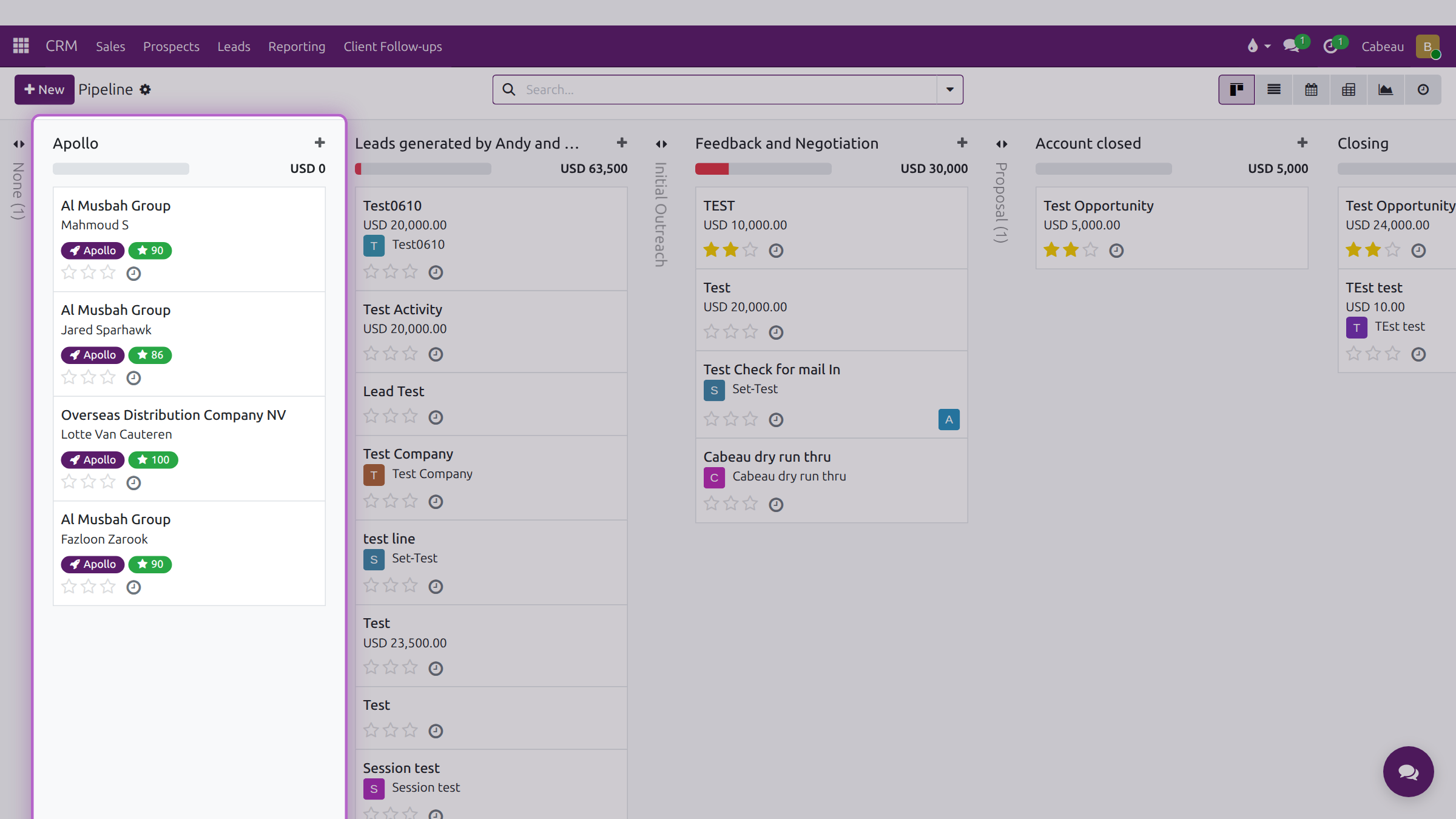
- Leads created by a run land in the Apollo stage of your pipeline, tagged Apollo with their score.
- Open a lead to see the contact, the company and the qualification checks on the Cabeau tab.
- That is lead generation. Next, how new leads arrive and how duplicates are caught.
1. Set what to look for
Section titled “1. Set what to look for”Open Cabeau Tools > Apollo > Dashboard, or Apollo on your dashboard. Under Discovery (People Search) set:
- Person titles, such as Buyer, Purchasing Manager, Category Manager;
- Person locations, the countries to search;
- Industries and Keywords, such as travel retail, duty free, department store, distributor;
- Competitor keywords, to recognise a competitor’s buyer.
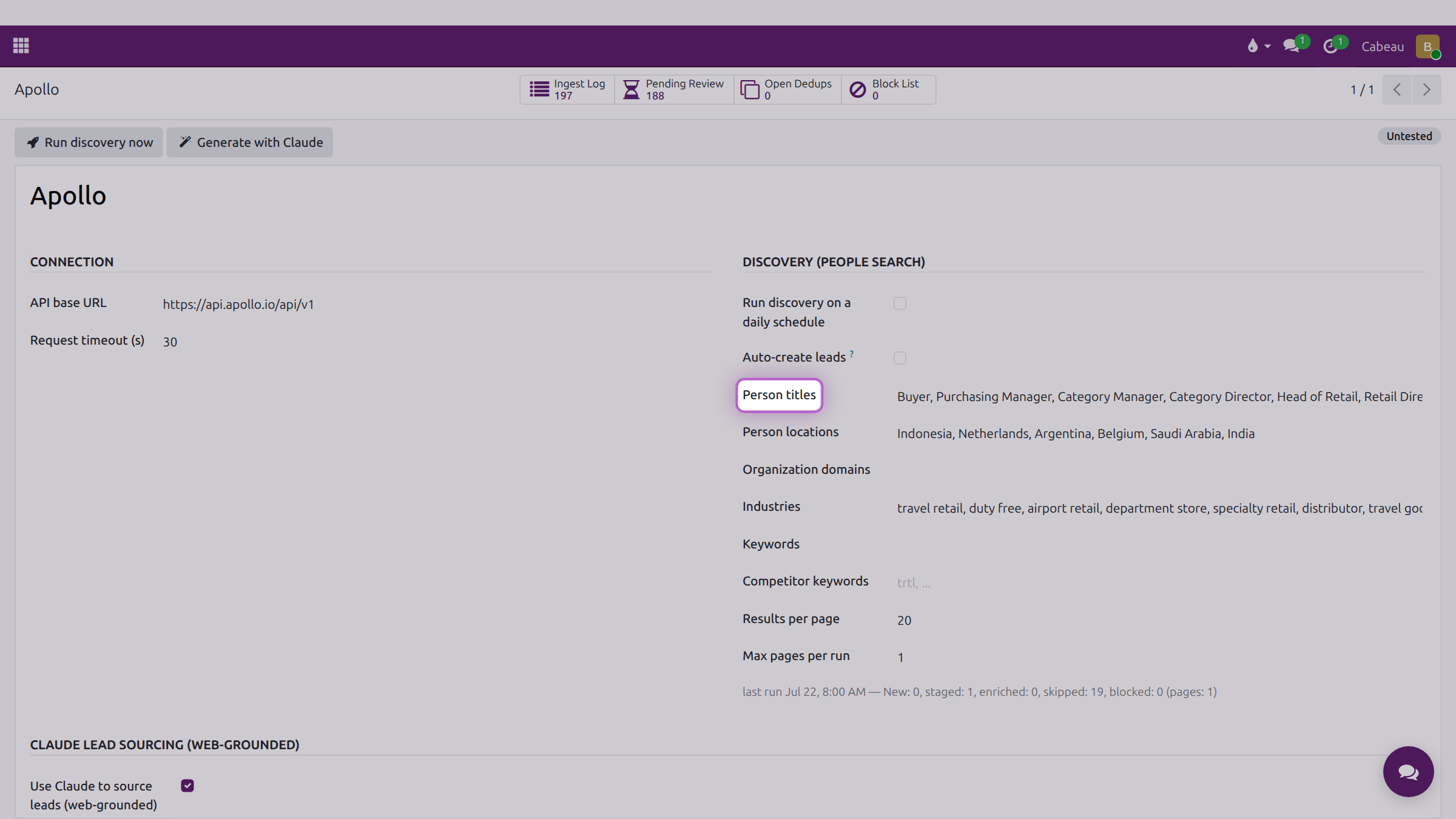
These settings are shared by the whole team; agree changes before you make them.
2. Run a search
Section titled “2. Run a search”- Run discovery now searches Apollo with those settings.
- Run discovery on a daily schedule and Auto-create leads make it run on its own.
Each run appears under Recent discovery runs with how many leads it created, staged, enriched and skipped.
3. Read the fit score
Section titled “3. Read the fit score”The Ingest Log lists every contact found, with a Fit score from 0 to 100. Higher means a closer match to your criteria.
4. Open the lead
Section titled “4. Open the lead”Leads from Apollo appear in the Apollo stage of the pipeline with an Apollo tag and the fit score. Open one to start working it: its Cabeau tab carries territory, channel, business type and the qualification checks.
See How new leads arrive.
The VP also has Generate Leads on the Leads list, which pulls companies by country, industry and size.