
Approvals
Reps cannot change the forecast, customer prices or account structure on their own. Each change arrives as a request for you to approve or reject.
Transcript
- This video covers approvals. When a rep changes a forecast, a price or an account relationship, the change waits for you.
- Cabeau Tools, Forecast, Change Requests lists every forecast change pending approval.
- Each row shows the account, the month, the previous and proposed amounts, and who asked for it.
- Open a request to review it. The reason the rep gave appears here, with the review details below.
- Approve applies the new amount to the forecast. Reject leaves the forecast as it was.
- Goal Line and Customer jump to the forecast line and the account behind the request.
- Price Change Requests collects price changes reps make on an account's item pricing, with the current and proposed price.
- Relationship Change Requests collects requests to move an account under a different parent account.
- Both lists open on pending requests, so an empty list means nothing is waiting for you.
- That is approvals. Next, the reorder monitor.
Forecast change requests
Section titled “Forecast change requests”Cabeau Tools > Forecast > Change Requests, or the Pending CRs button on an account.
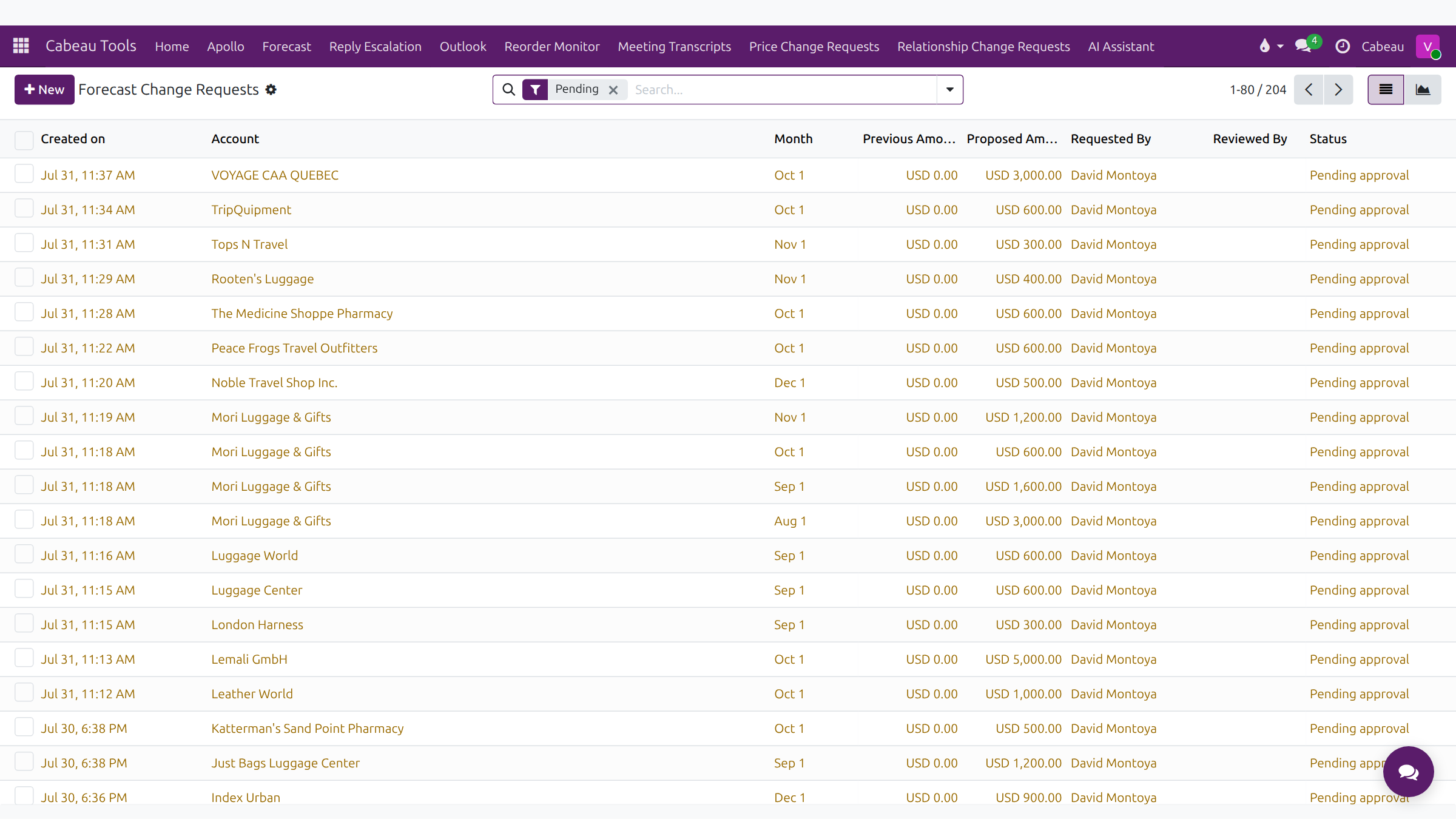
The list opens on Pending. Columns: Created on, Account, Month, Previous Amount, Proposed Amount, Requested By, Reviewed By and Status.
Open a request to decide it.
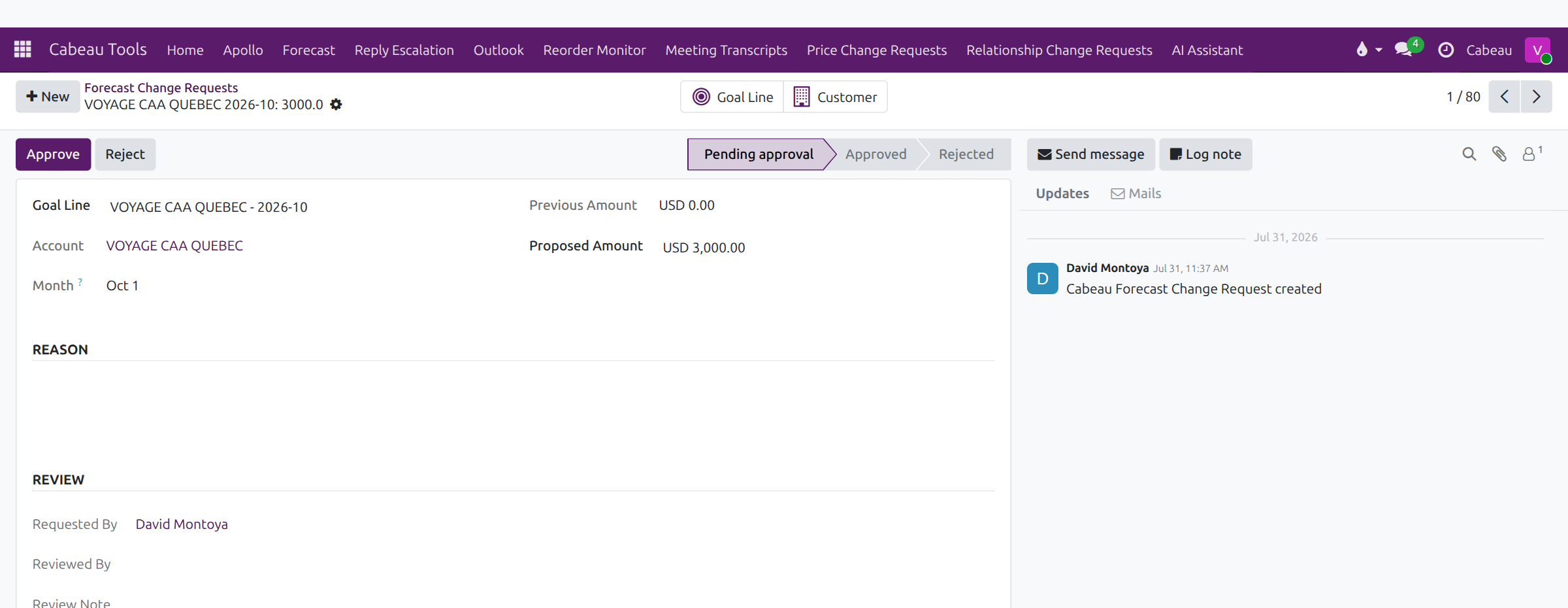
- Read the account, month, previous and proposed amounts and the rep’s Reason.
- Add a Review Note if you want to explain your decision.
- Select Approve or Reject. The status bar moves from Pending approval to Approved or Rejected, and an approved figure updates the forecast sheet.
Price change requests
Section titled “Price change requests”Cabeau Tools > Price Change Requests lists customer price changes made by reps, opening on Pending approval.

Columns: Submitted, Account, Product, Action, Current price, Proposed price, Requested by, Status, Reviewed by and Responded at. An approved price is marked Local on the account and copied to NetSuite.
Relationship change requests
Section titled “Relationship change requests”Cabeau Tools > Relationship Change Requests lists requests to move an account under a different parent account.

Columns: Submitted, Child account, Change type, Current parent, Proposed parent, Requested by, Status, Reviewed by and Responded at. An empty Proposed parent means the request is to detach the account and make it top-level.