
Orders and inventory
VP of Sales
Orders and inventory 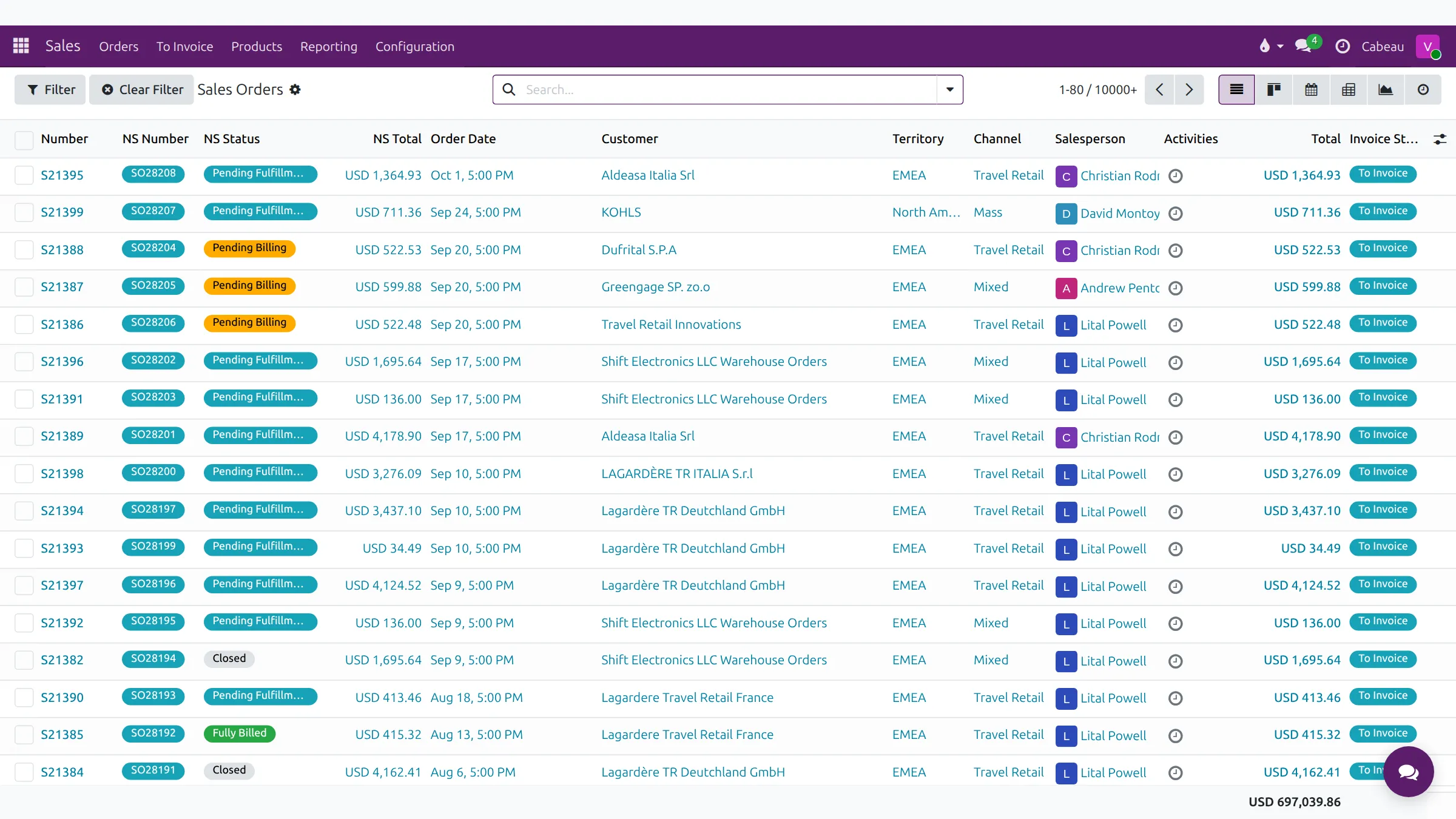
Sales orders and stock come across from NetSuite, so the Hub shows the same orders and stock positions the rest of Cabeau works from.
Transcript
- This video covers sales orders and inventory, both synced from NetSuite.
- Sales, Orders lists every sales order, newest first, with its NetSuite number and status.
- Each order also shows the customer, territory, channel, salesperson and total.
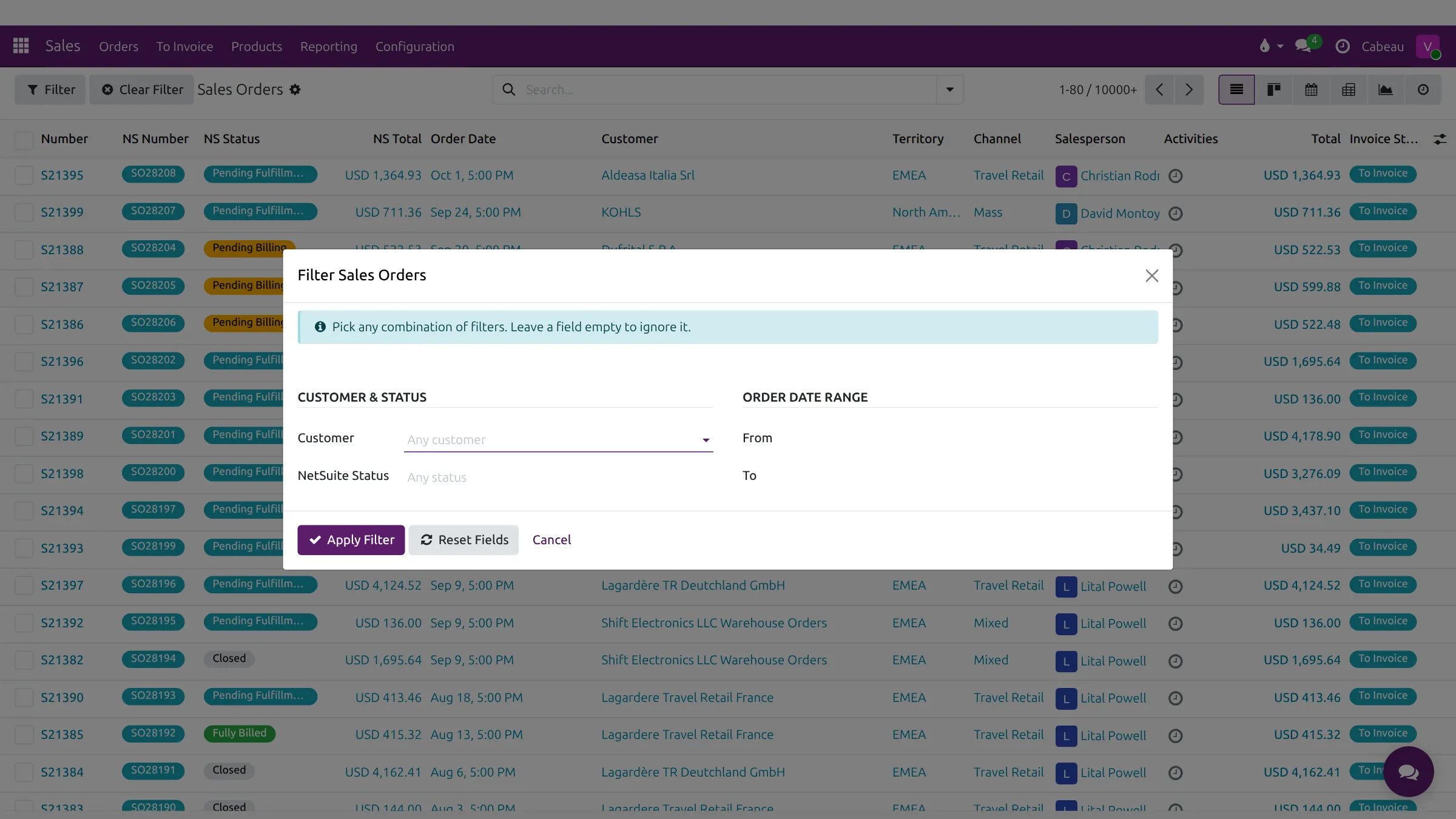
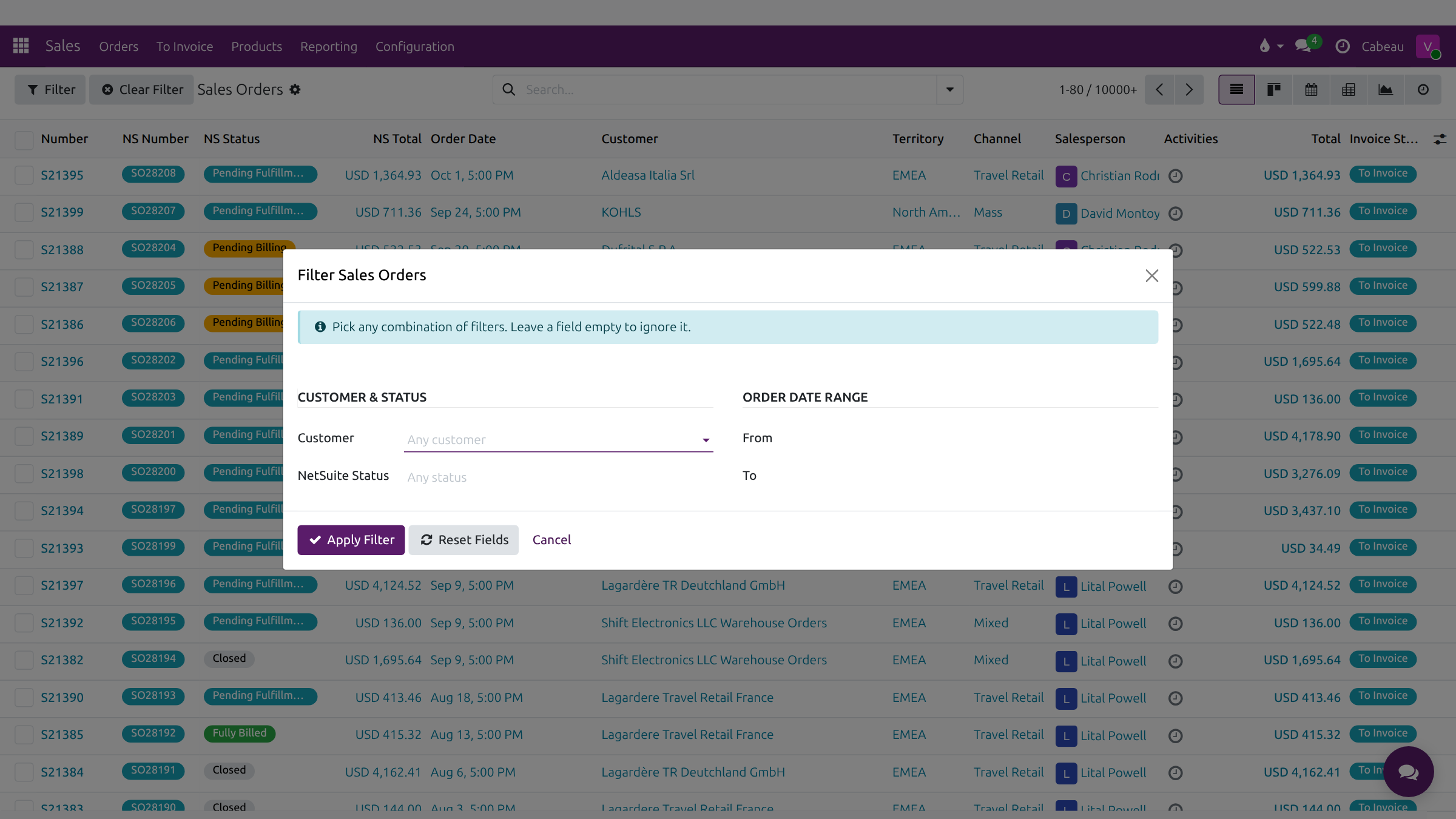
- Filter opens a form to narrow orders by customer, NetSuite status and order date range. Clear Filter resets it.
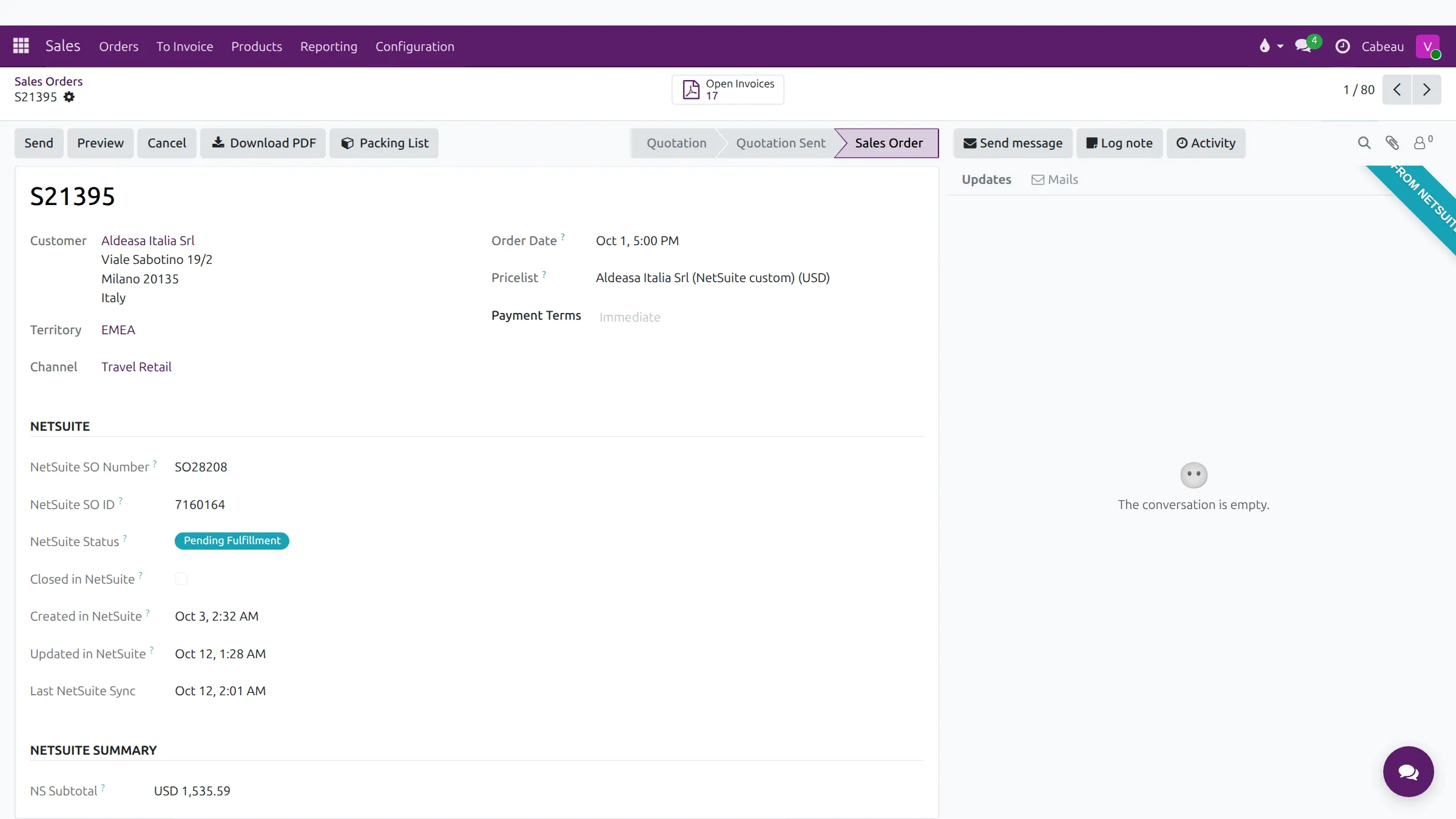
- Open an order. The banner shows it was synced from NetSuite, with the customer, territory, channel and pricelist.
- The NetSuite section records the NetSuite order number, its status, and when it last synced.
- Download PDF saves the order document, and Packing List saves its packing list.
- Open Invoices lists this customer's open invoices.
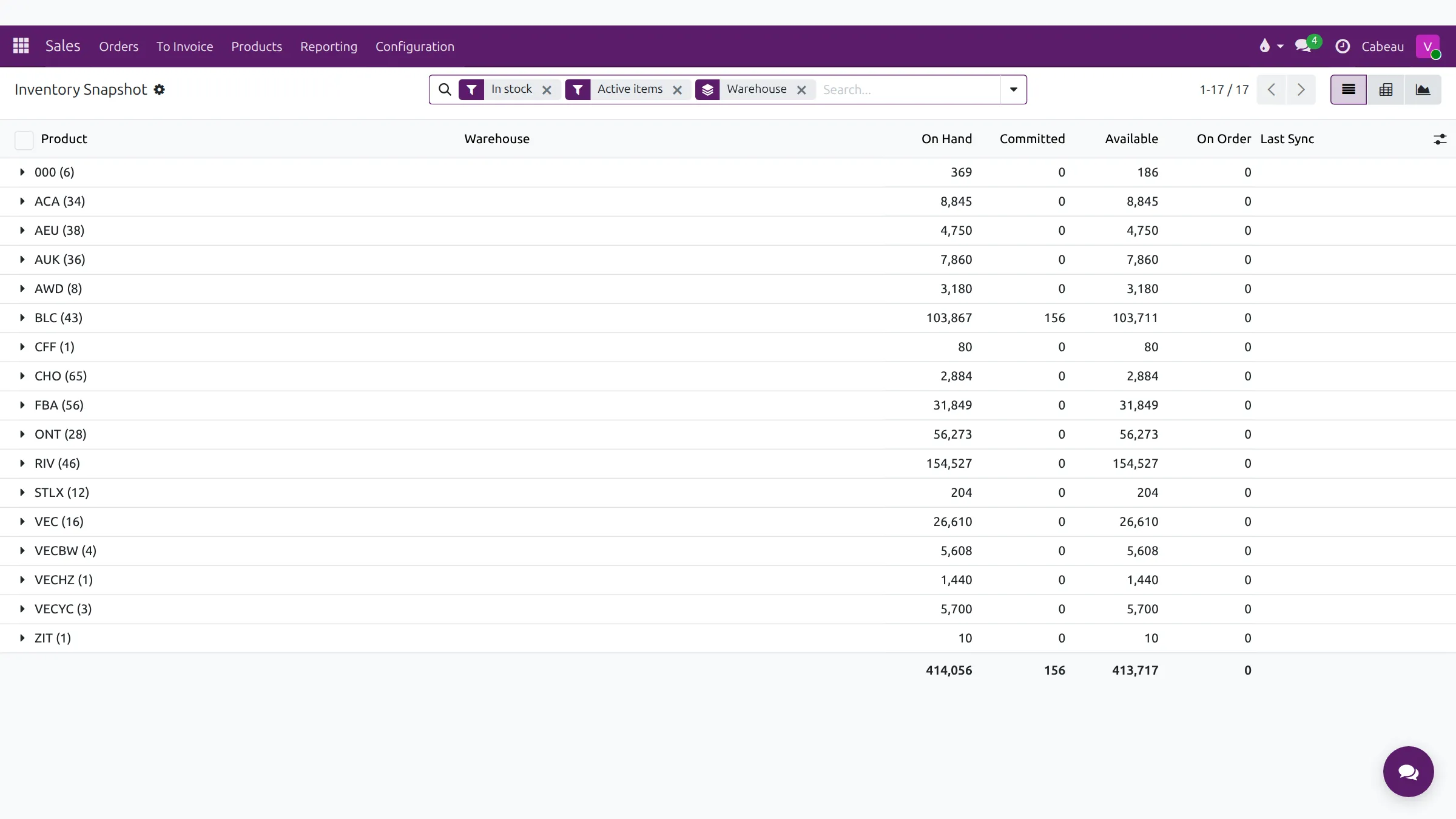
- The Inventory shortcut on your dashboard opens the inventory snapshot, grouped by warehouse.
- For each warehouse you see stock on hand, committed to orders, available, and on order.
- Open a warehouse to see each product in it, and when it last synced.
- That is orders and inventory. Next, activities, your agenda and follow-ups.
Sales orders
Section titled “Sales orders”Sales > Orders, or the Sales Orders shortcut on the dashboard.
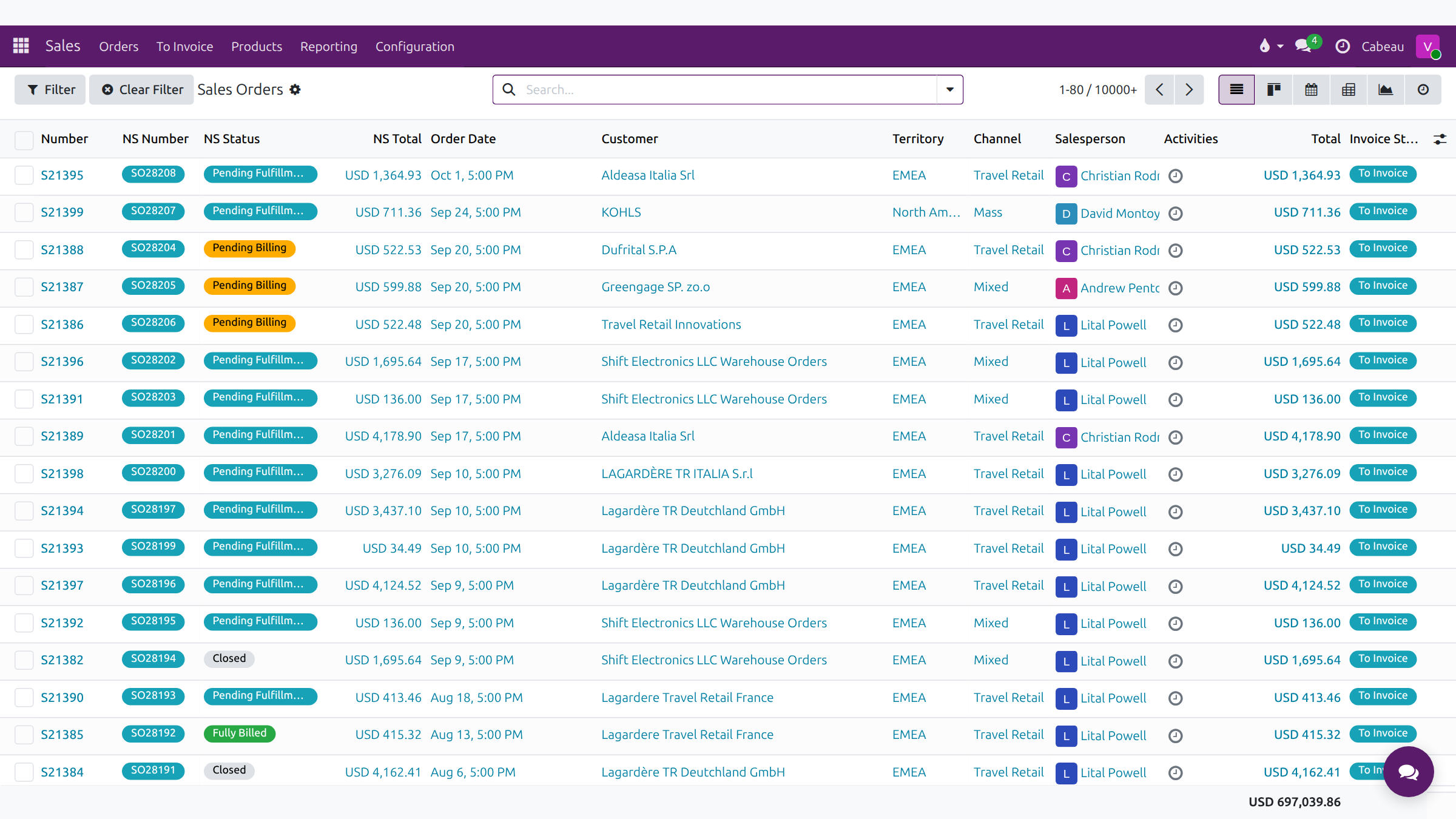
Columns: Number, NS Number, NS Status (Pending Fulfillment, Pending Billing, Closed, Fully Billed), NS Total, Order Date, Customer, Territory, Channel, Salesperson, Activities, Total and Invoice Status.
Filter opens a dialog for customer, NetSuite status and an order date range. Clear Filter resets it.
An order
Section titled “An order”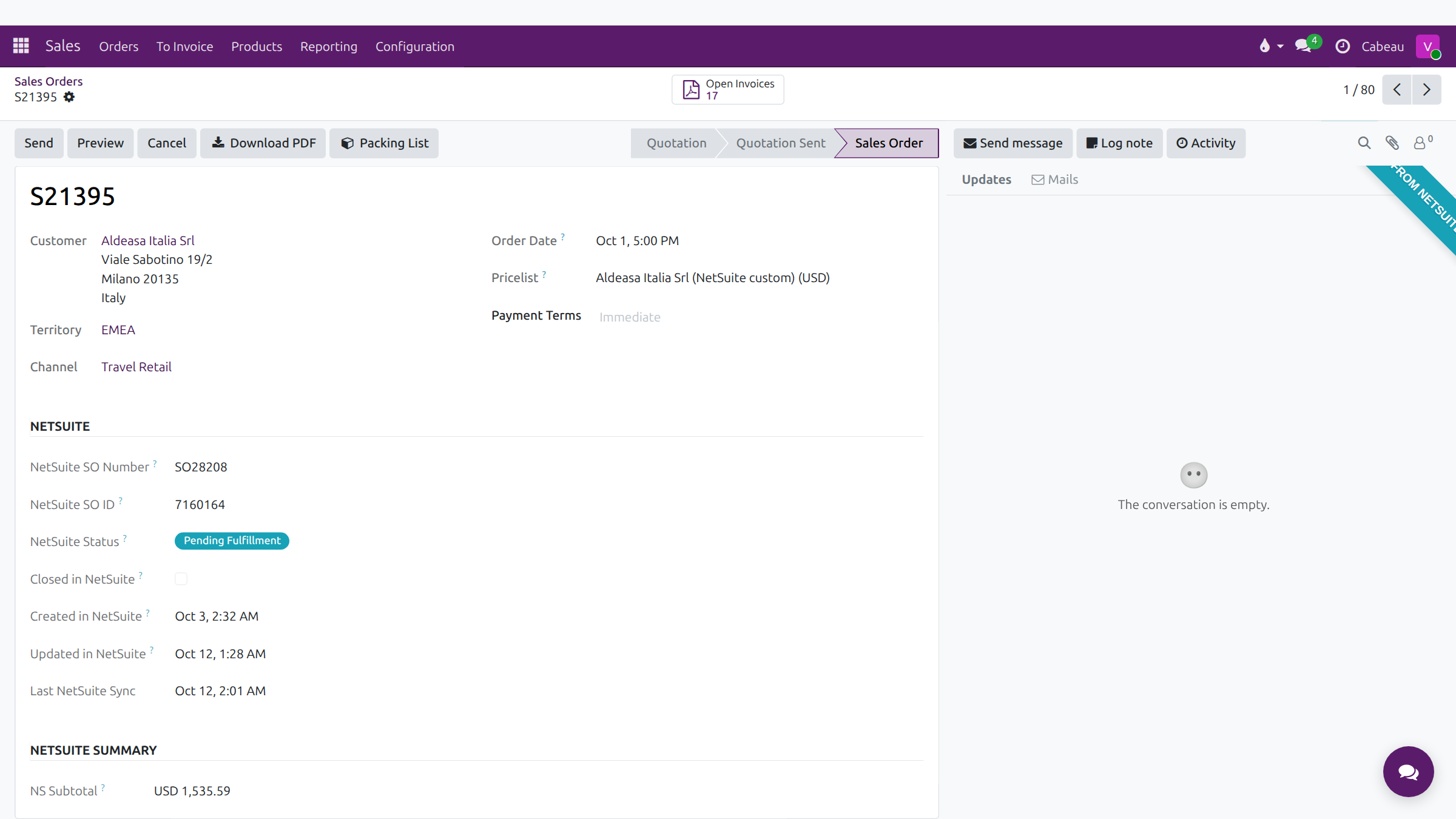
- A ribbon marks orders Synced from NetSuite.
- Download PDF and Packing List give you the documents to send.
- The NetSuite section shows the SO number, status, and when it was created, updated and last synced. NetSuite Summary and NetSuite Shipping show totals and ship dates.
Inventory
Section titled “Inventory”The Inventory shortcut on the dashboard, or Sales > Reporting > Inventory Snapshot.
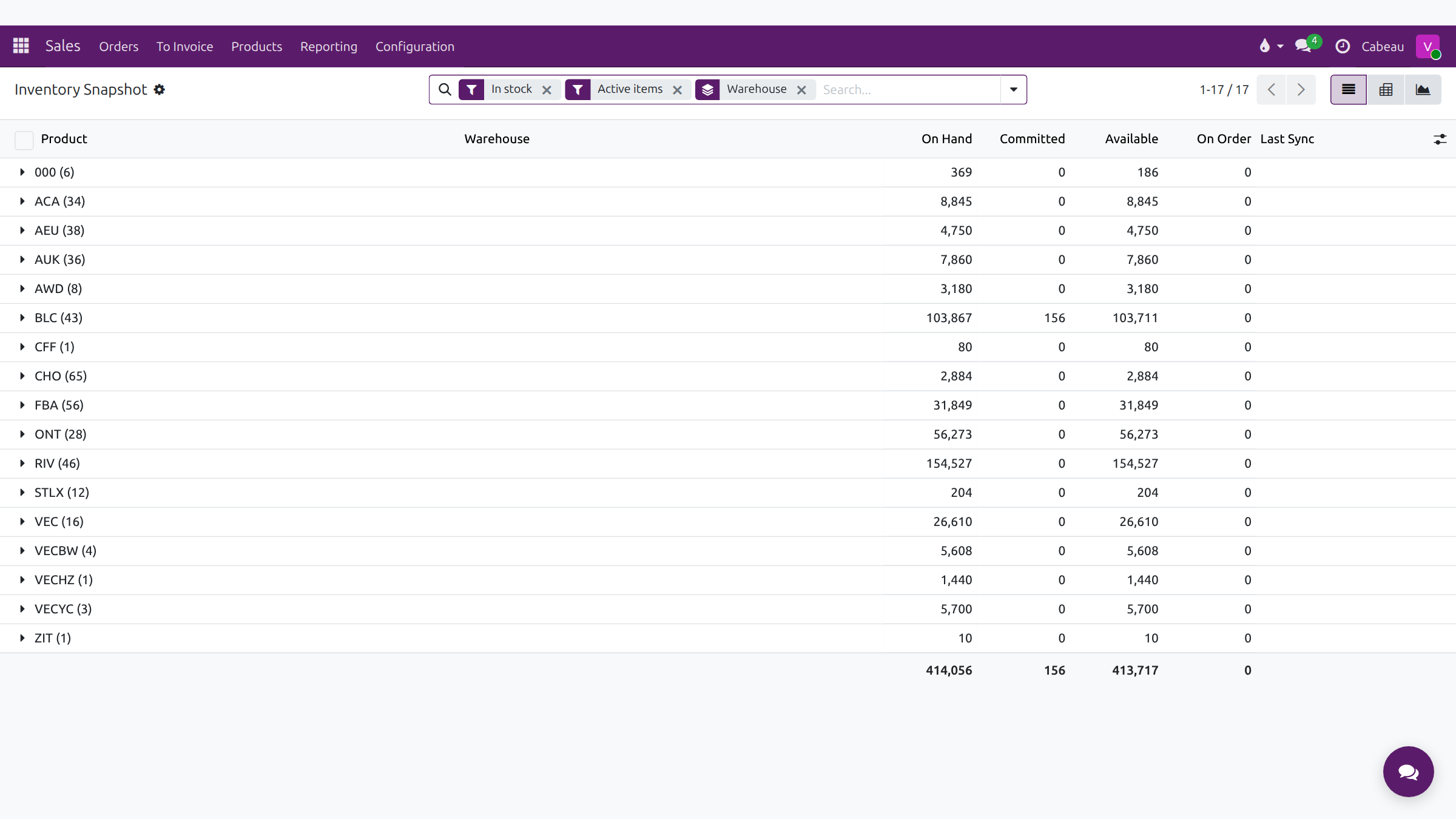
The snapshot opens on in-stock, active items, grouped by warehouse.
| Column | Meaning |
|---|---|
| On Hand | Physical stock at the location, per NetSuite, including units committed to orders not yet shipped |
| Committed | Units held for open orders |
| Available | What you can still sell |
| On Order | Units on the way |
| Last Sync | When the figure last came from NetSuite |
Check Last Sync before quoting stock to a customer.