
Reorder monitor
The reorder monitor learns how often each account usually orders and raises a flag when an account goes quiet for longer than that. Find it under Cabeau Tools > Reorder Monitor.
Transcript
- This video covers the reorder monitor, which watches how often each account orders and flags the ones that go quiet.
- Cabeau Tools, Reorder Monitor, Order Cadence lists each account with enough order history to measure.
- You see the average days between orders, the average order value, the trend, and the orders in the last twelve months.
- Confidence grows with order history. Lapsed is ticked when an account has gone past its usual gap.
- Filters pick out accounts trending up or down, lapsed, seasonal, or with high confidence.
- Open an account to see the full picture, including the median order value and how steady its ordering is.
- Thresholds sets the slack each tier gets, in days, on top of its usual gap, before the Hub raises a reach out.
- Key accounts and tier one get thirty days, tier two forty five, and small accounts sixty.
- When an account passes that point, a reach out activity appears on the account for its manager, as you saw in the accounts video.
- That is the reorder monitor. Next, orders and inventory.
Order cadence
Section titled “Order cadence”Reorder Monitor > Order Cadence shows the ordering rhythm of each account.
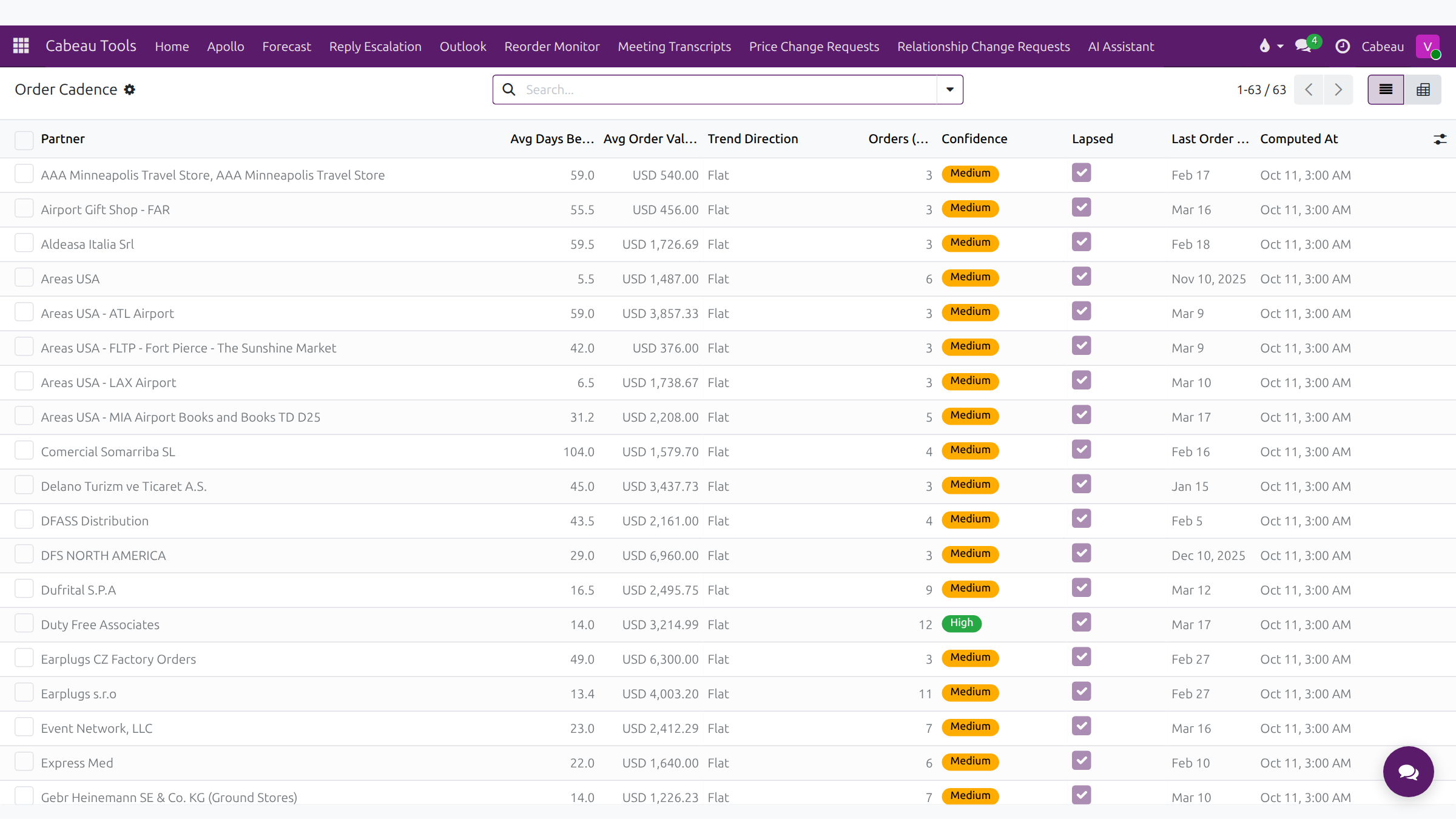
| Column | Meaning |
|---|---|
| Avg Days Between Orders | The account’s usual gap between orders |
| Avg Order Value | Typical order size |
| Trend Direction | Whether orders are growing or shrinking |
| Orders (12m) | Orders in the last twelve months |
| Confidence | How reliable the cadence is, based on the order history |
| Lapsed | No confirmed order within the lapsed window |
| Last Order Date | When the account last ordered |
Filters pick out accounts Trending up, Trending down, Lapsed, Seasonal or with High confidence. Open a row for the detail, including the spread between orders, median order value and trend slope.
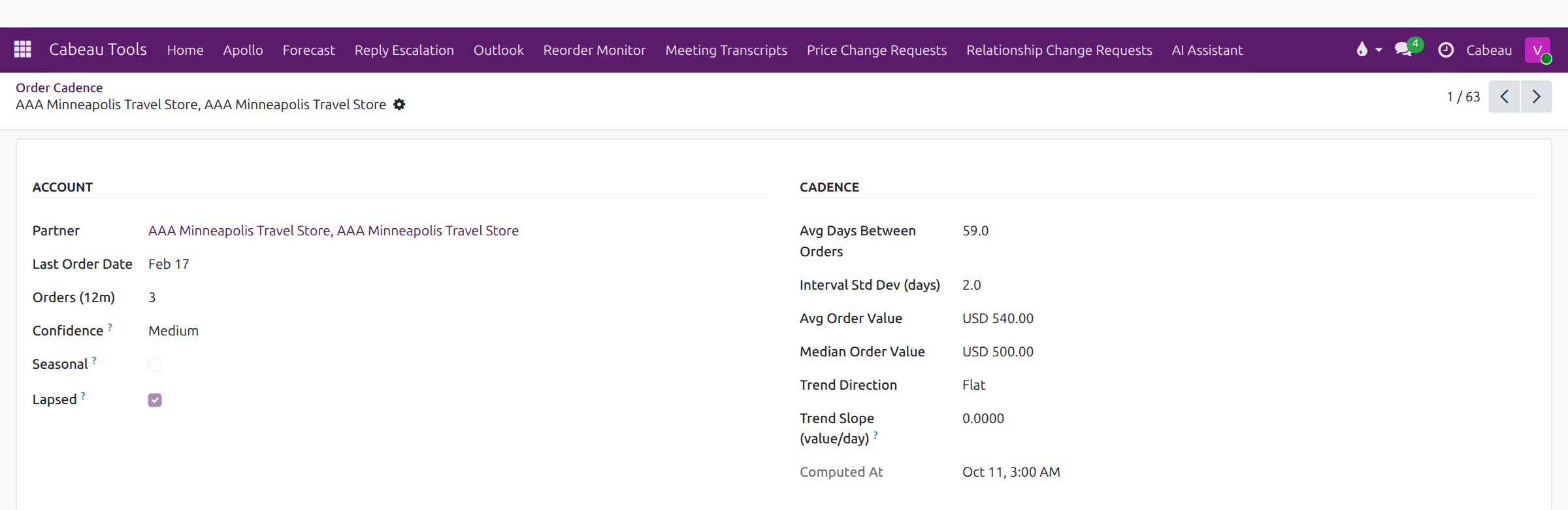
The same figures appear on each account’s Order Cadence tab.
Thresholds
Section titled “Thresholds”Reorder Monitor > Thresholds sets how much slack each tier gets beyond its usual gap before the Hub flags it.

When an account passes its usual gap plus the slack for its tier, the Hub puts a reach out activity on the account for its manager, for example has not ordered in 52 + 60 days. Health: at risk. You see these in the account’s chatter and on the account list.
As VP you can change the slack per tier. Longer slack means fewer, later alerts.