Dashboard
Business Development
Your business development dashboard
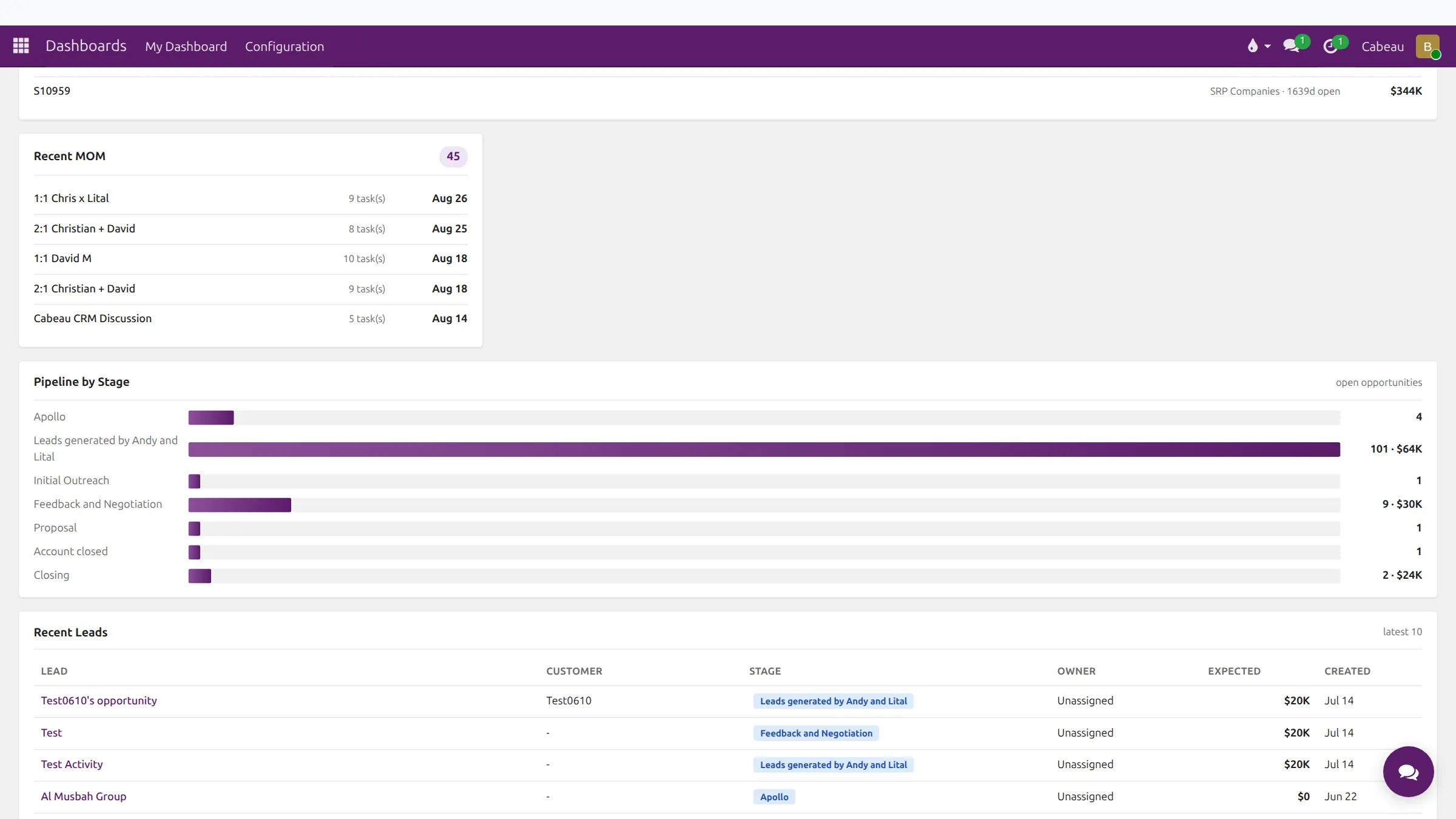
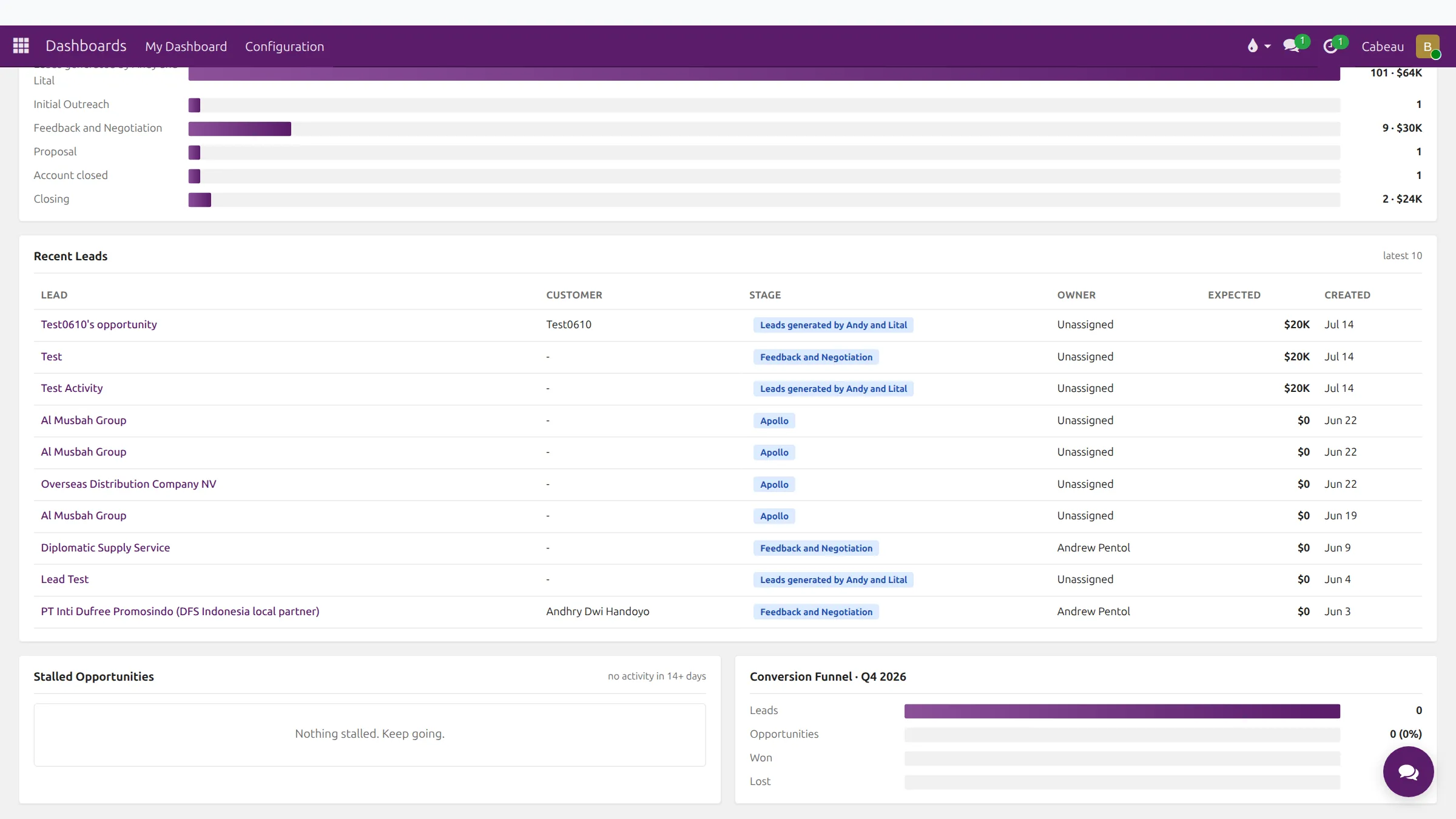
Your dashboard opens when you sign in. It puts new business first: leads, opportunities and win rate, then the pipeline.
Transcript
- This video covers your home dashboard in Cabeau Hub, the first screen you see in Business Development.
- The shortcut row opens your pipeline, customers, sales orders, inventory, activities, your agenda and meeting transcripts.
- Two more shortcuts sit on the right. Customer starts a new customer record, and Apollo opens contact discovery.
- Three headline numbers track your work: leads created this month, opportunities created, and your win rate this quarter.
- The territory filter at the top right narrows the page to one territory.
- Further down, pipeline by stage counts your open opportunities in each stage, with their expected value.
- Recent leads lists the ten newest leads, with their stage, owner and expected value. Click a lead to open it.
- Stalled opportunities flags anything with no activity in fourteen days. The conversion funnel shows how this quarter's leads become wins.
- That is your dashboard. Next, your prospects.
The top of the page
Section titled “The top of the page”- Greeting line: the week, active B2B accounts, and accounts that ordered in the last 90 days.
- Search bar: customers, leads and orders in one box, with results grouped by type.
- Shortcut row: Pipeline, Customers, Sales Orders, Inventory, Activities, Agenda, Transcripts, then Customer (green) to create a new customer, and Apollo.
- Territory filter (top right) narrows the whole page to one territory.
Headline numbers
Section titled “Headline numbers”| Tile | What it tells you |
|---|---|
| Leads Created (This Month) | New leads this month |
| Opportunities Created | Leads that became opportunities |
| Win Rate (This Quarter) | Share of closed opportunities won this quarter |
The pipeline panels
Section titled “The pipeline panels”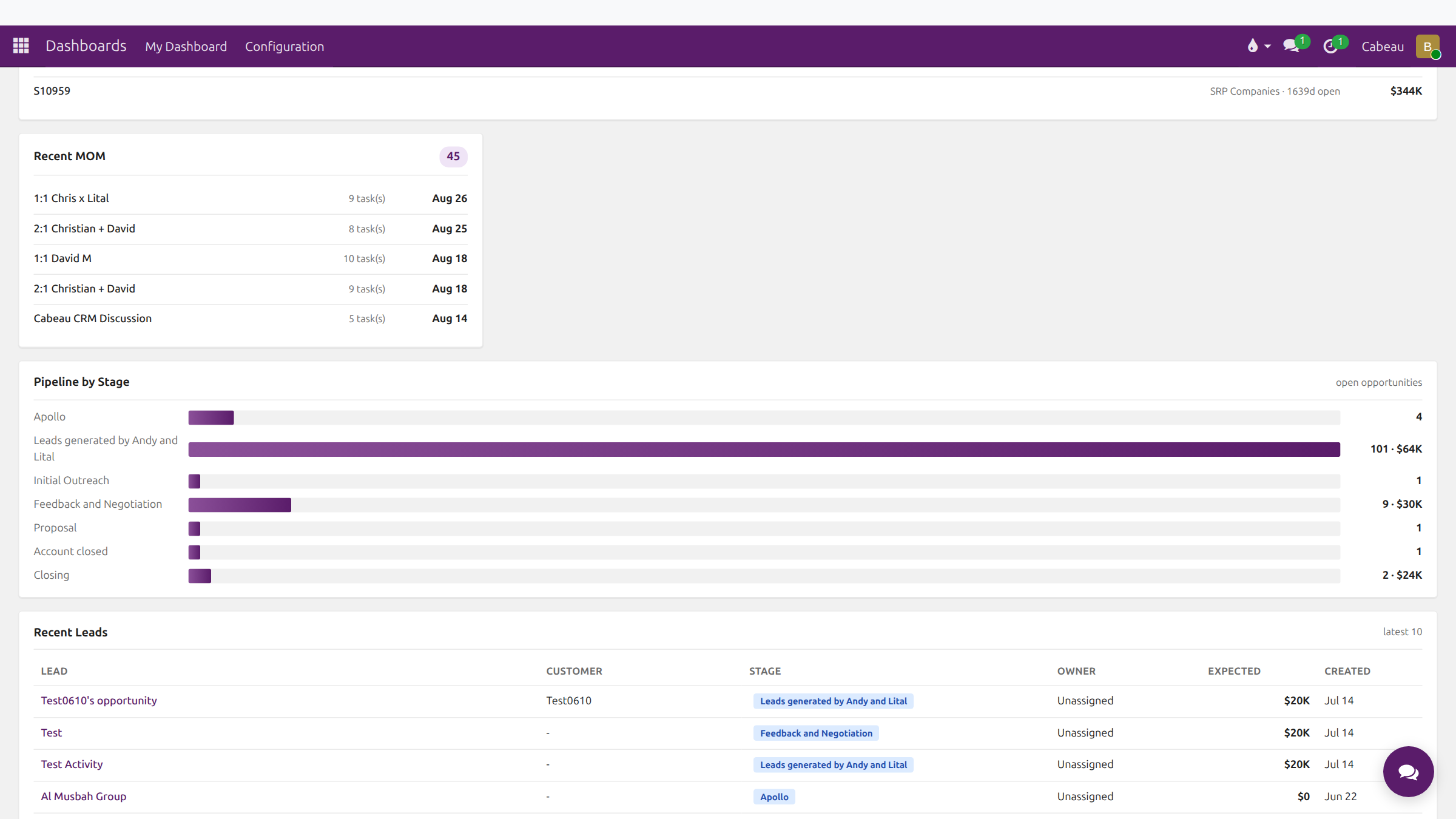
- Pipeline by Stage: how many open opportunities sit in each stage, and their value.
- Recent Leads: the latest ten leads with customer, stage, owner, expected revenue and date created.
- Stalled Opportunities: opportunities with no activity in 14 days or more. When nothing is stalled it says Nothing stalled. Keep going.
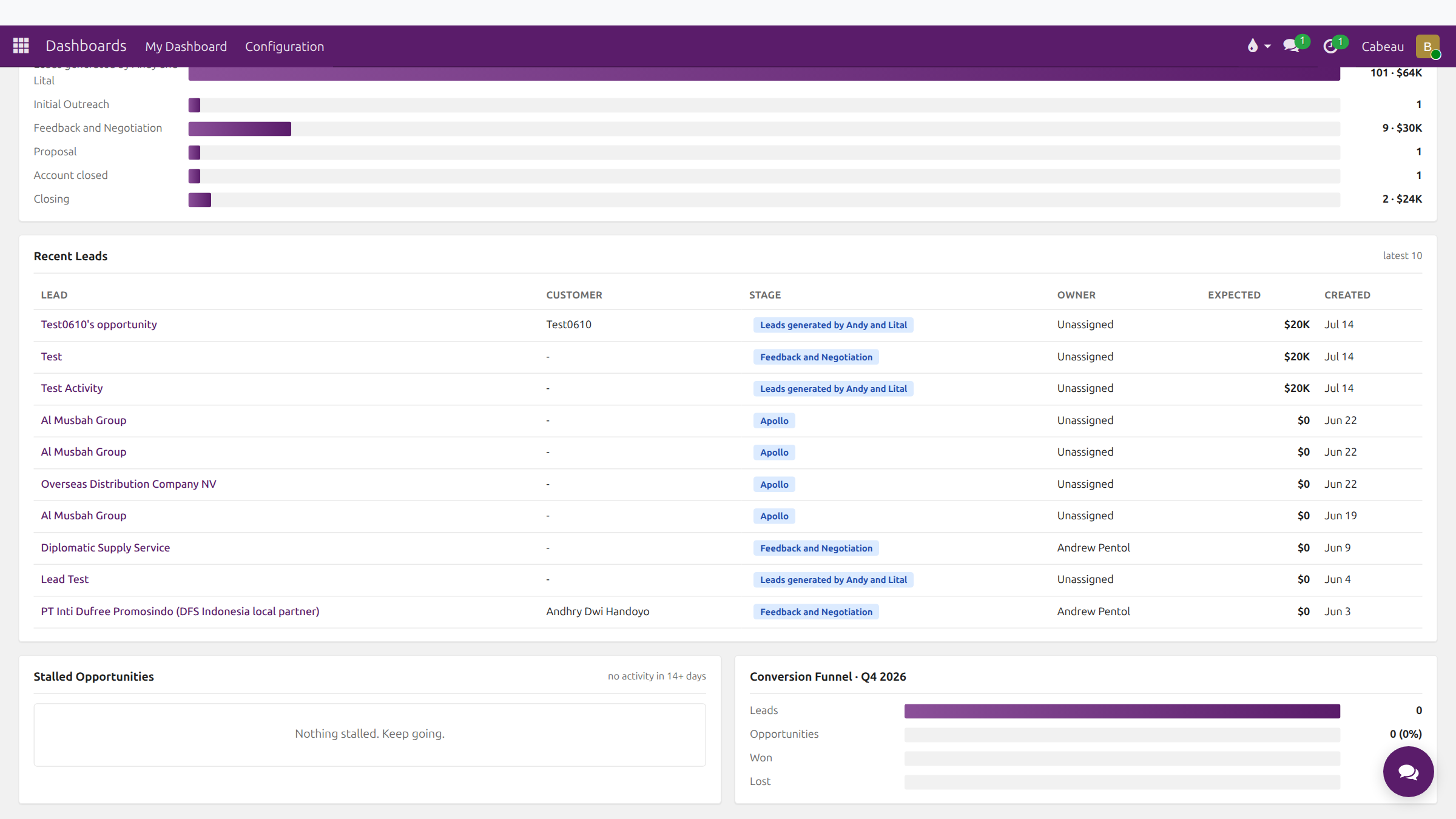
- Conversion Funnel: leads, opportunities, won and lost for the current quarter.
The page also carries the panels the whole team shares: revenue by channel, timing and accountability, open orders and recent meeting minutes.