My Accounts
CRM > My Accounts lists every account where you are the primary or secondary Account Manager.
Transcript
- This video covers your accounts: the list of accounts you manage, and everything inside an account record.
- CRM, My Accounts lists every account where you are the primary or secondary account manager.
- E-commerce customers are hidden, so you see your B2B accounts. Badges show open activities and unpaid invoices.
- Open the filter menu to group your accounts by territory, channel or tier.
- Open an account. The buttons along the top count its opportunities, sales orders, meetings, transcripts and forecast lines.
- The Cabeau tab shows the account's territory, channel, tier, and its primary and secondary account managers.
- Item Pricing lists this customer's prices, mirrored from NetSuite on every sync.
- When you change a price here, it is not applied straight away. It becomes a price change request for the VP of Sales to approve.
- The Forecast tab holds this account's monthly targets. Past months are closed; future months stay active.
- Order Cadence shows how often the account orders, its typical order value, and whether it has lapsed.
- On the right, the account history records every message, note and change, with who made it and when.
- Use Log note to record a call, Send message to email the customer, and Activity to plan your next step.
- That is your accounts. Next, your forecast.
The list
Section titled “The list”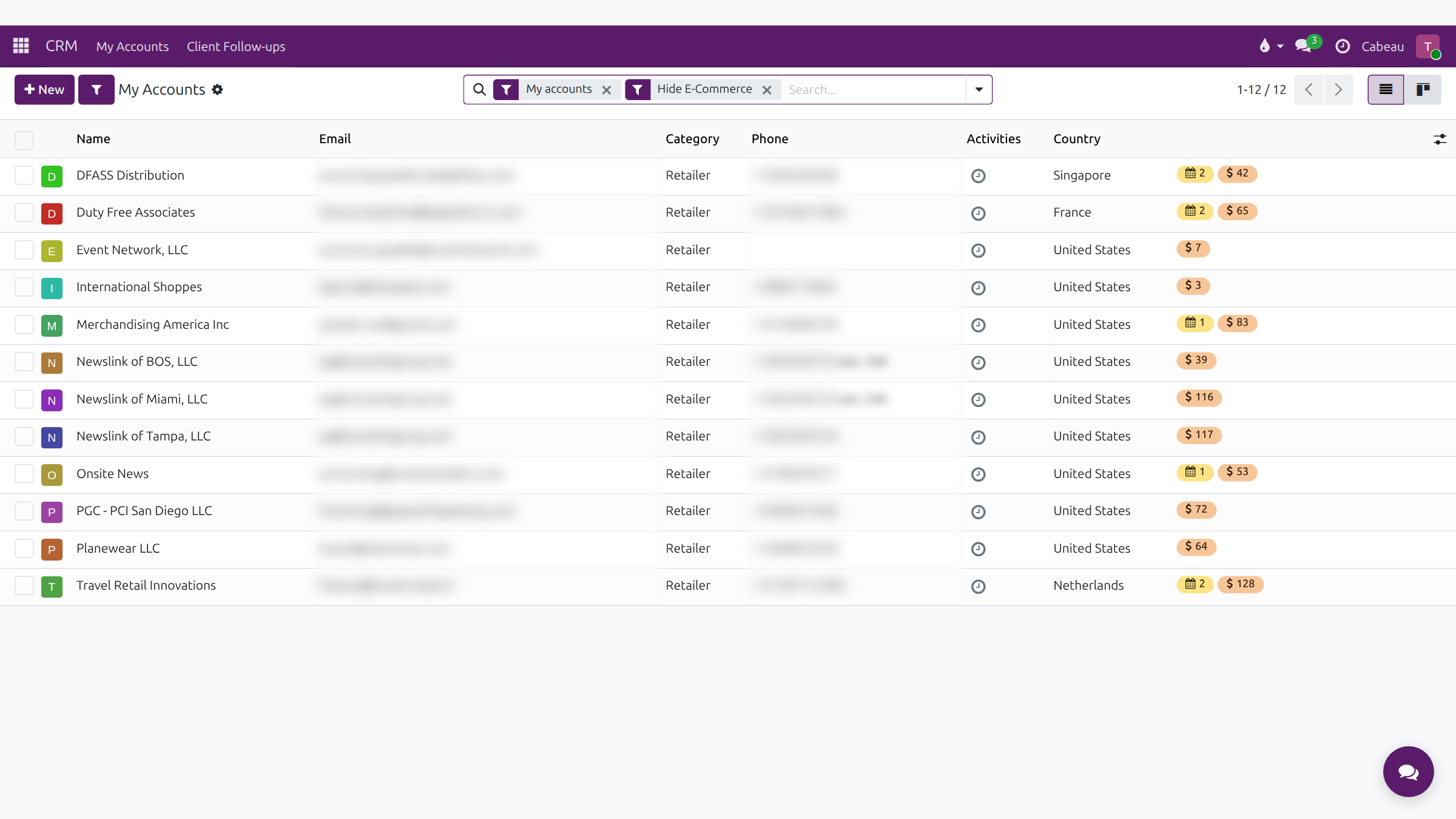
The list opens with My accounts and Hide E-Commerce. Columns: Name, Email, Category, Phone, the next Activity and Country, with badges for open activities and unpaid amounts. Group by territory, channel or tier from the search options, or switch to the Kanban view.
The account record
Section titled “The account record”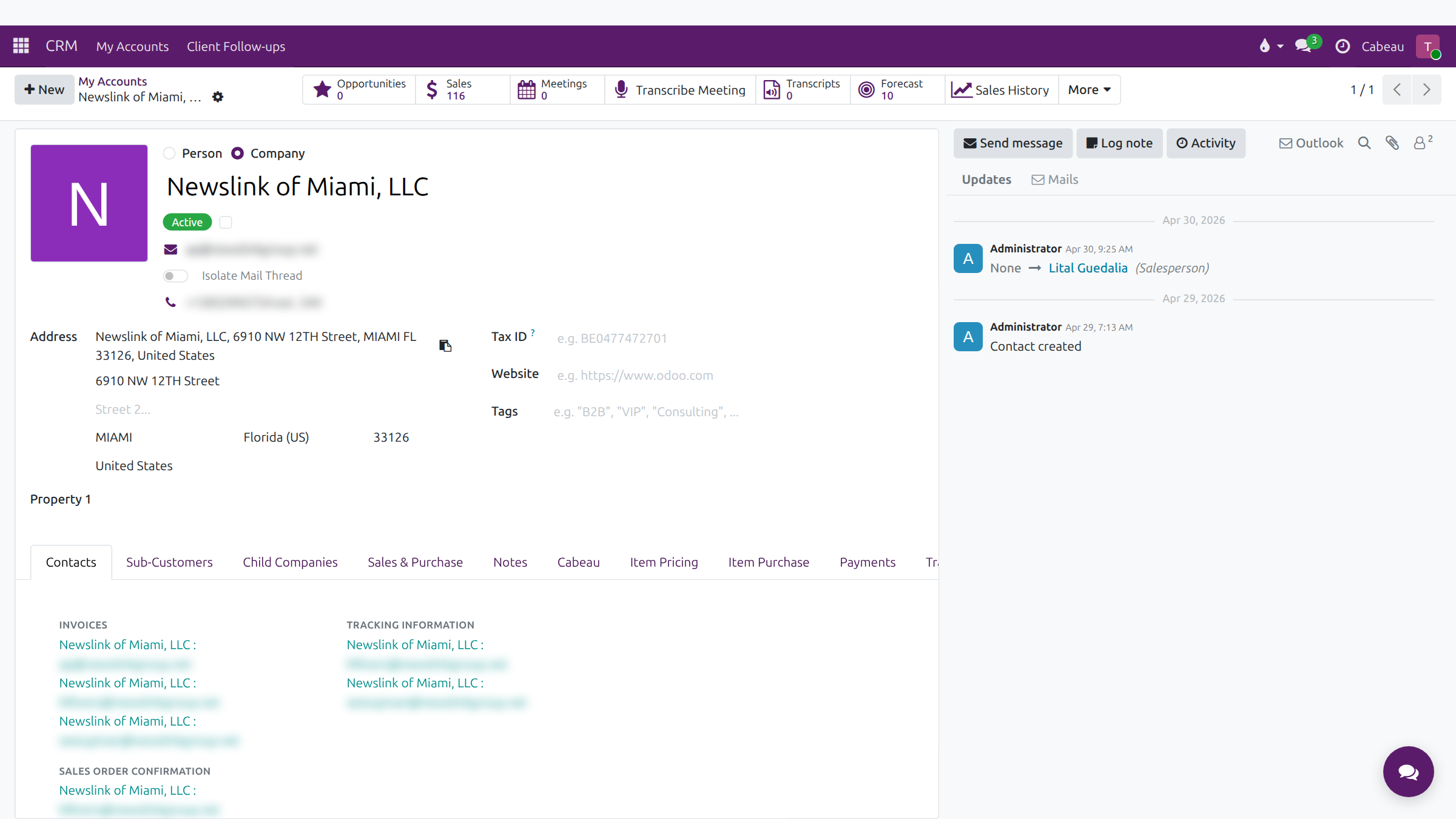
Smart buttons: Opportunities, Sales, Meetings, Transcribe Meeting, Transcripts, Forecast, Sales History, and More for Set Up Follow-up and Health.
Tabs: Contacts, Sub-Customers, Child Companies, Sales & Purchase, Notes, Cabeau, Item Pricing, Item Purchase, Payments, Transcripts, Forecast and Order Cadence.
Cabeau tab
Section titled “Cabeau tab”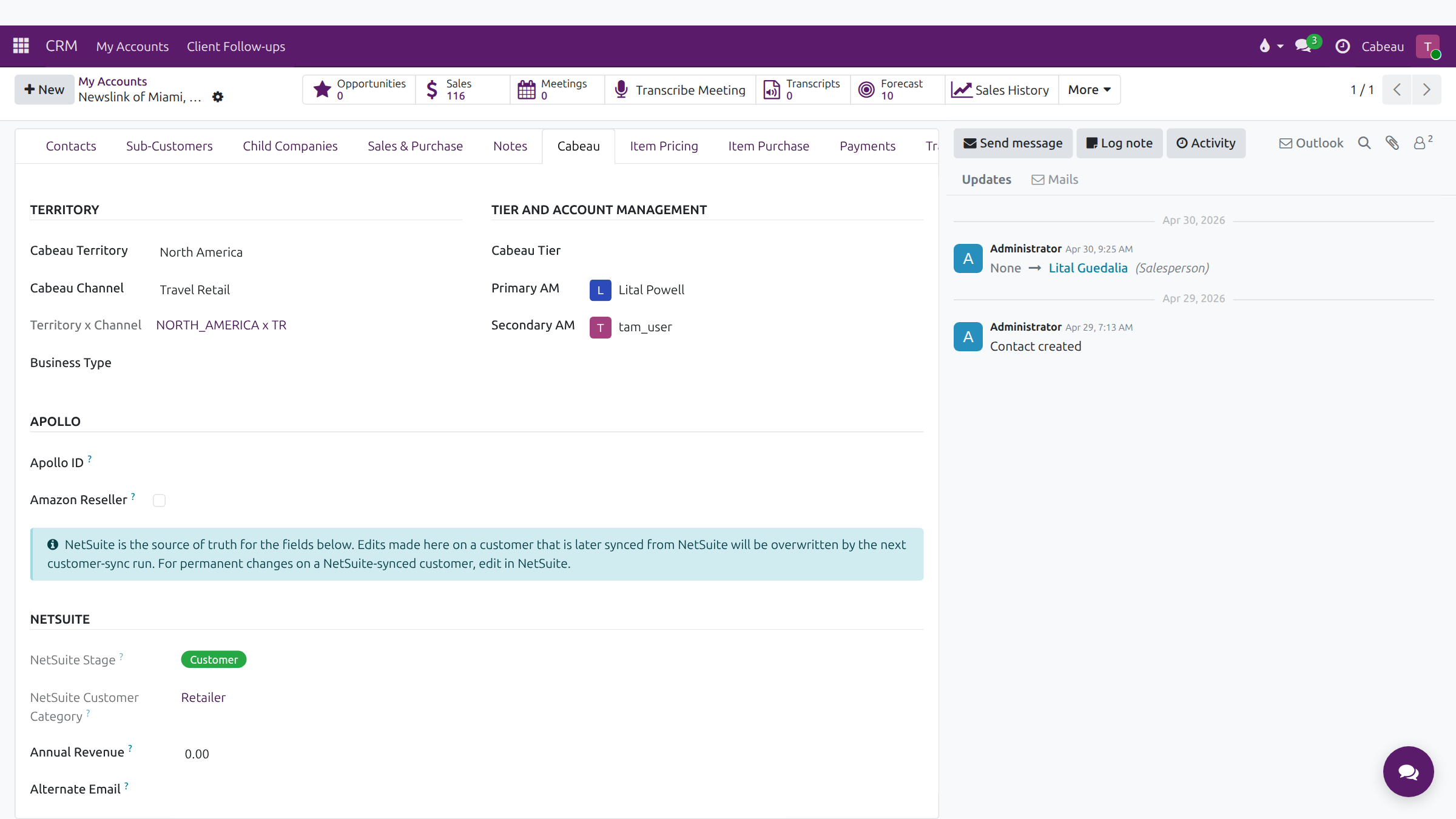
Territory, channel, business type, tier, Primary AM and Secondary AM, Apollo and NetSuite details. NetSuite is the source of truth for the NetSuite fields; change those in NetSuite, not here.
Item pricing
Section titled “Item pricing”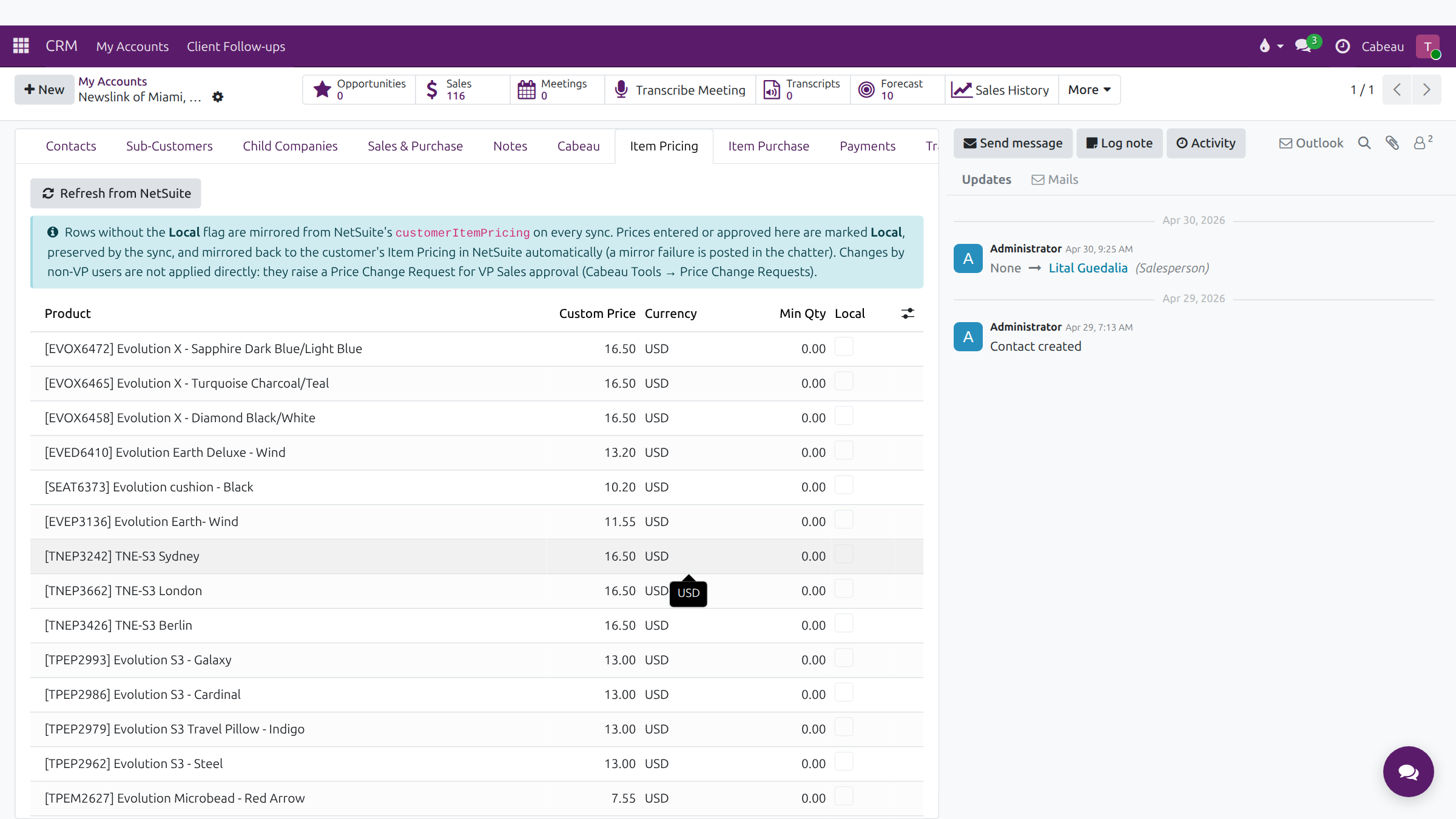
The customer’s prices per product, with custom price, currency and minimum quantity.
- Rows without Local mirror NetSuite’s customer pricing on every sync. Refresh from NetSuite pulls them now.
- A price you change is not applied straight away. It raises a price change request for the VP of Sales. Once approved, the price is marked Local, kept by the sync and sent back to NetSuite. Track your requests under Cabeau Tools > Price Change Requests.
Forecast tab
Section titled “Forecast tab”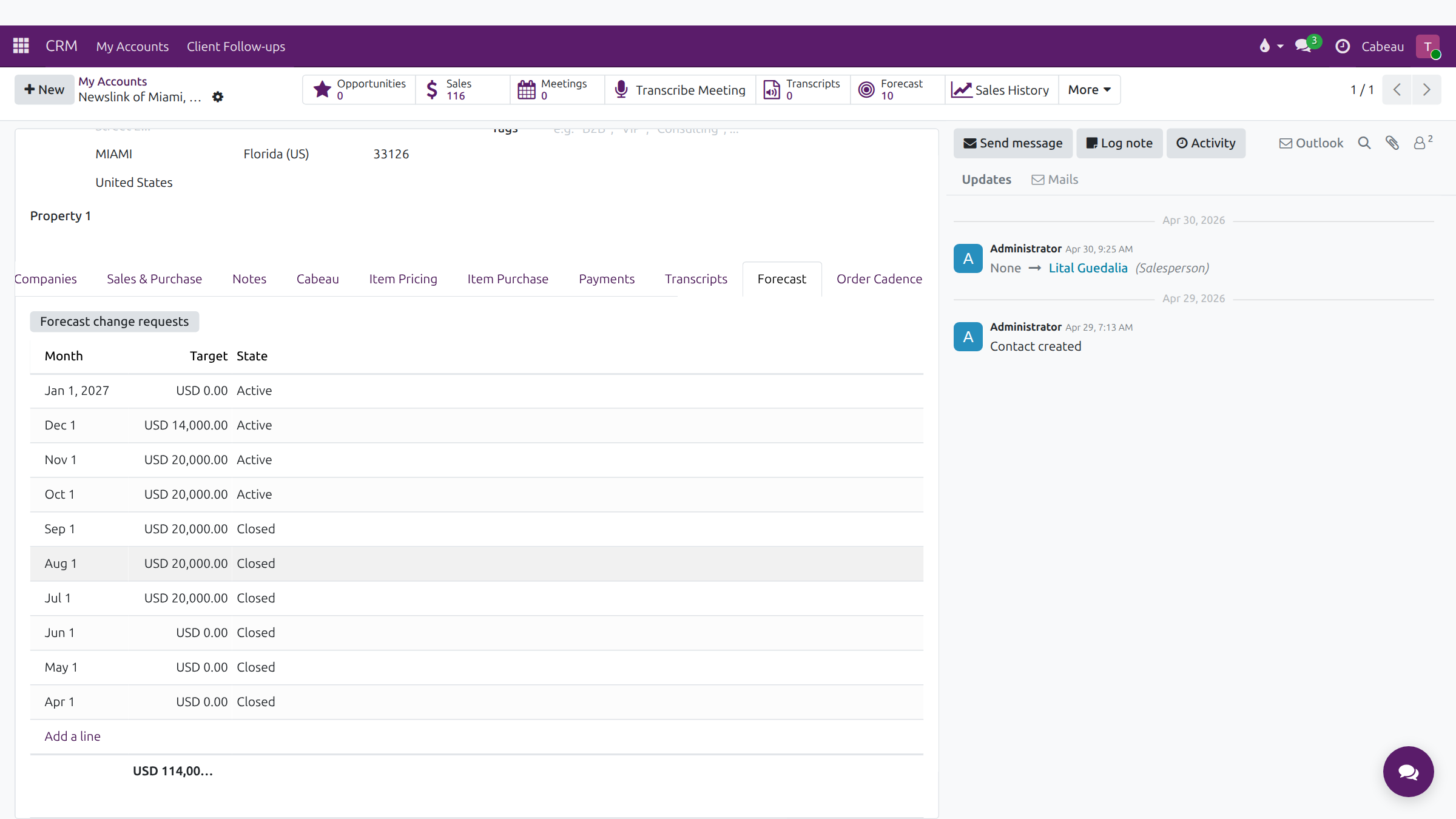
The account’s target for each month. Past months show Closed, current and future months Active. Forecast change requests lists the changes proposed for this account.
Order Cadence tab
Section titled “Order Cadence tab”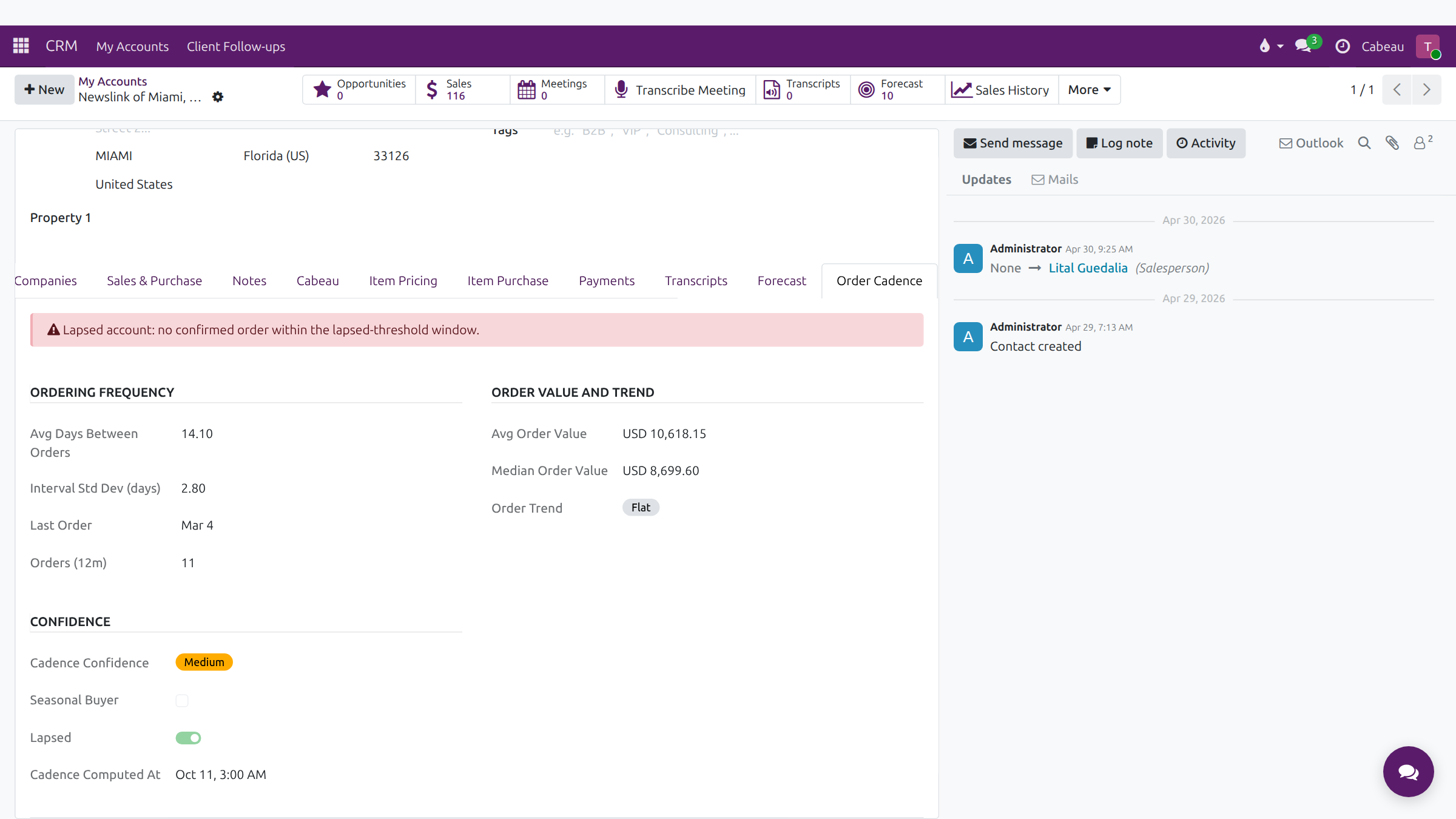
How often the account orders, its typical order value and trend, and how confident the Hub is in that pattern. A banner warns when the account has lapsed.
Chatter
Section titled “Chatter”Use Send message, Log note and Activity on the right to keep the account’s history complete. Emails from Outlook are filed here too.