Email and calendar
Email captured automatically
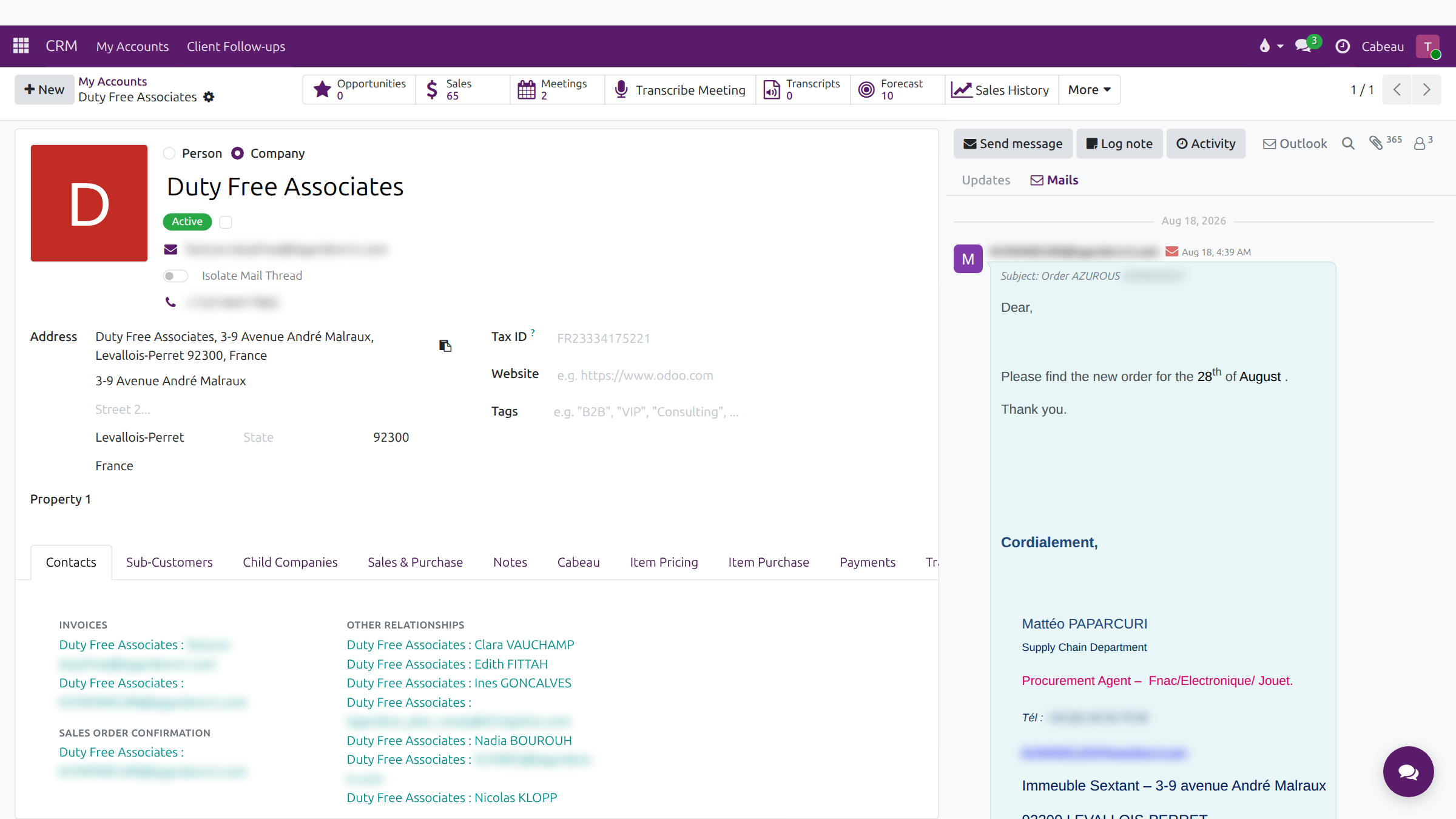
Section titled “Email captured automatically”Outlook email to and from a customer is filed on the account automatically. Nobody logs it by hand.
- Open the account; in the panel on the right, Mails lists the emails with a count, each with its full message.
- Load More brings in older emails; Updates shows notes and changes alongside.
- Outlook opens the account’s thread in your mailbox.
Transcript
- This workflow shows where customer emails appear in the Hub.
- Emails sent to and from a customer are filed on the account automatically. Nobody copies them in by hand.
- In the panel on the right, the Mails tab shows only the emails. The badge counts them.
- Each email shows the sender, the date and the subject, with the full message underneath.
- Scroll down through the conversation. Load More brings in older emails.
- Updates, beside Mails, shows notes and changes to the account alongside the emails.
- The Outlook button opens the account's mail thread in your mailbox.
- That is where customer emails live.
Calendar
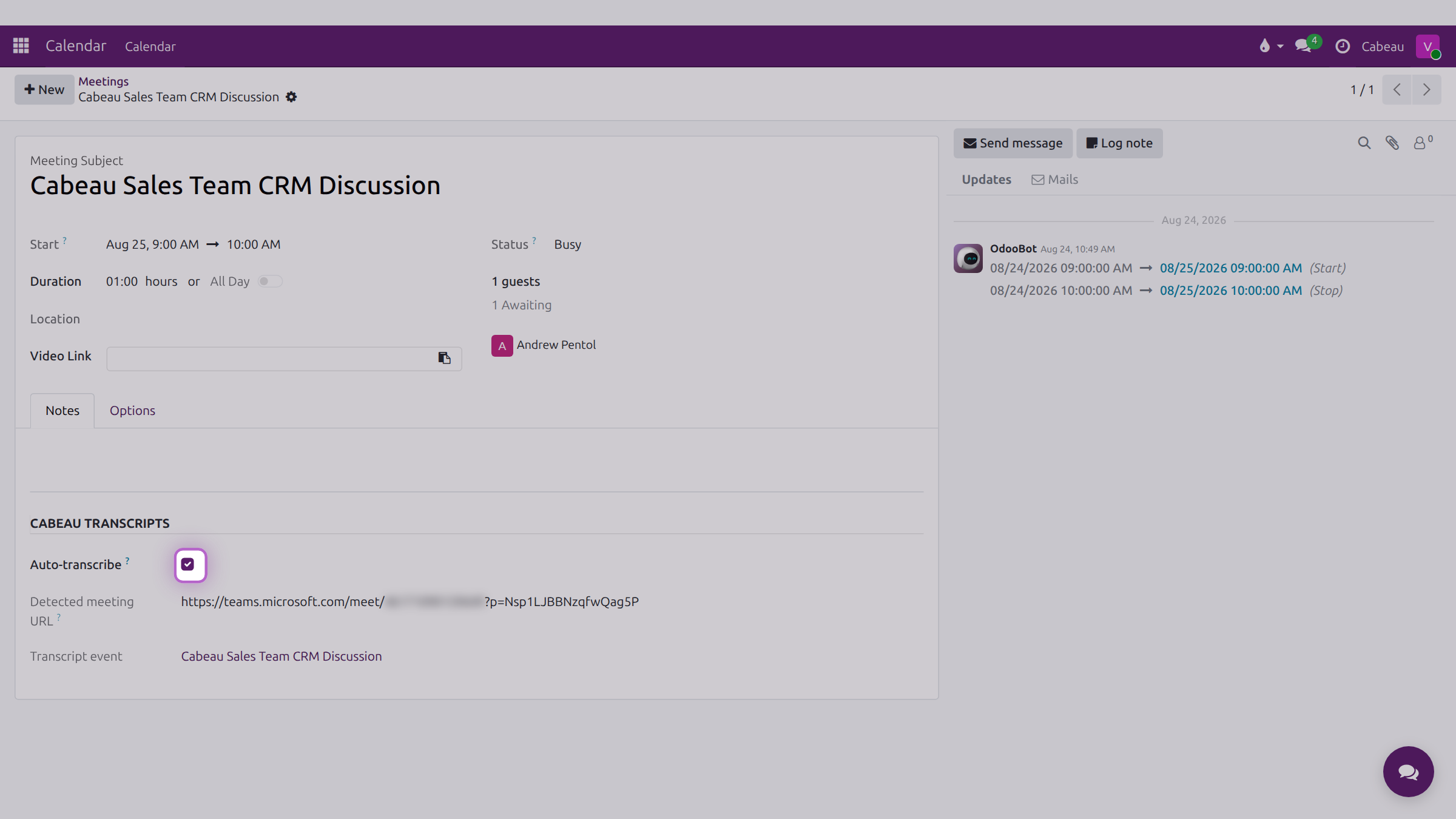
Section titled “Calendar”The Calendar app shows your meetings by day, week or month, with colleagues’ calendars beside yours under Attendees. Meetings synced from Outlook carry their Teams link, and an Auto-transcribe setting for the note-taker. See Calendar.