
Reorder alerts: knowing when a customer is due
Account ManagerVP of Sales
The Hub learns how often each account orders and flags the ones that fall behind.
Transcript
- This workflow shows how the Hub tells you a customer is due to reorder, or has gone quiet.
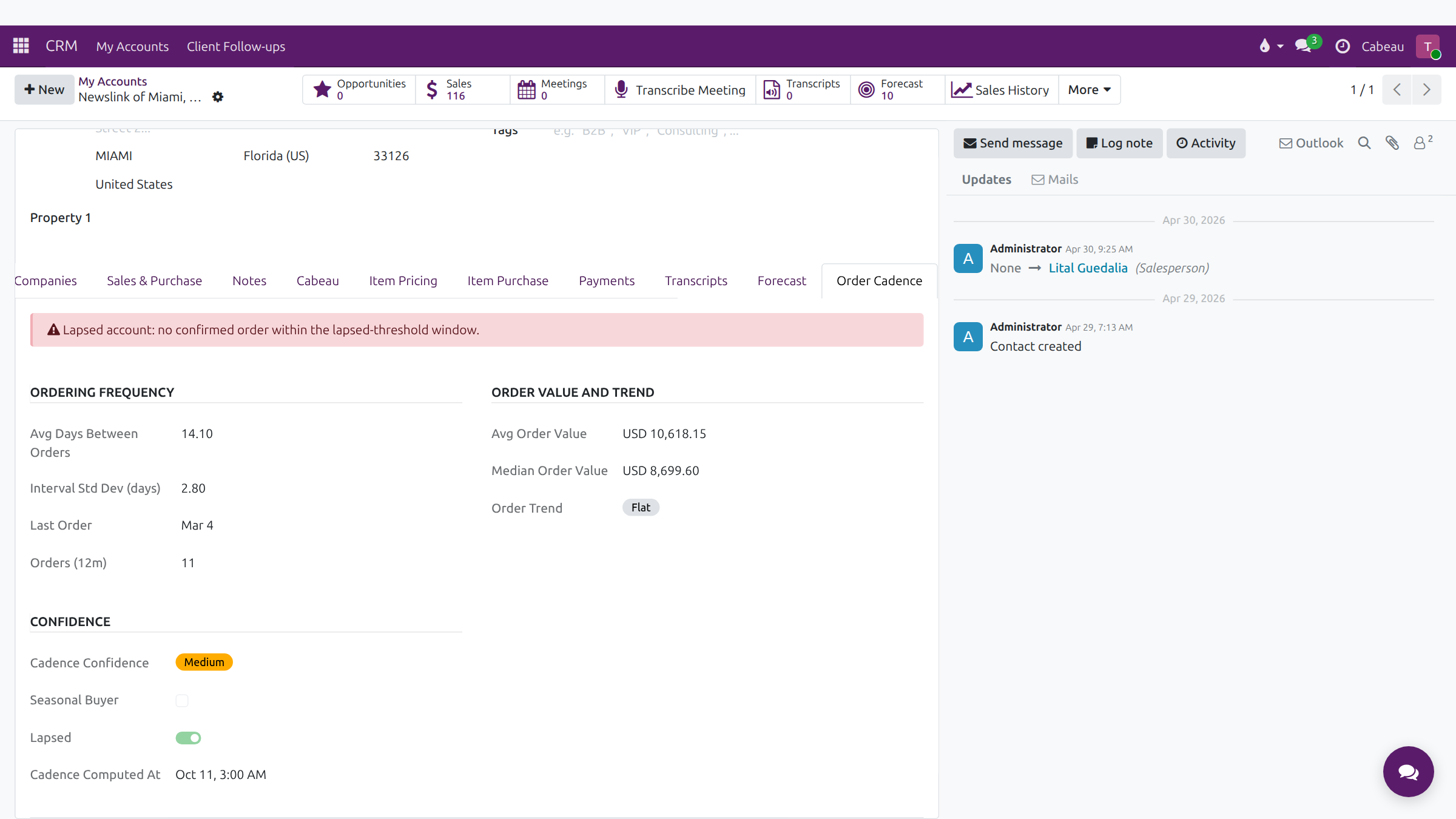
- Every account has an Order Cadence tab. It shows the usual number of days between orders, and when the last order arrived.
- Lapsed means the account has not placed a confirmed order within its expected window.
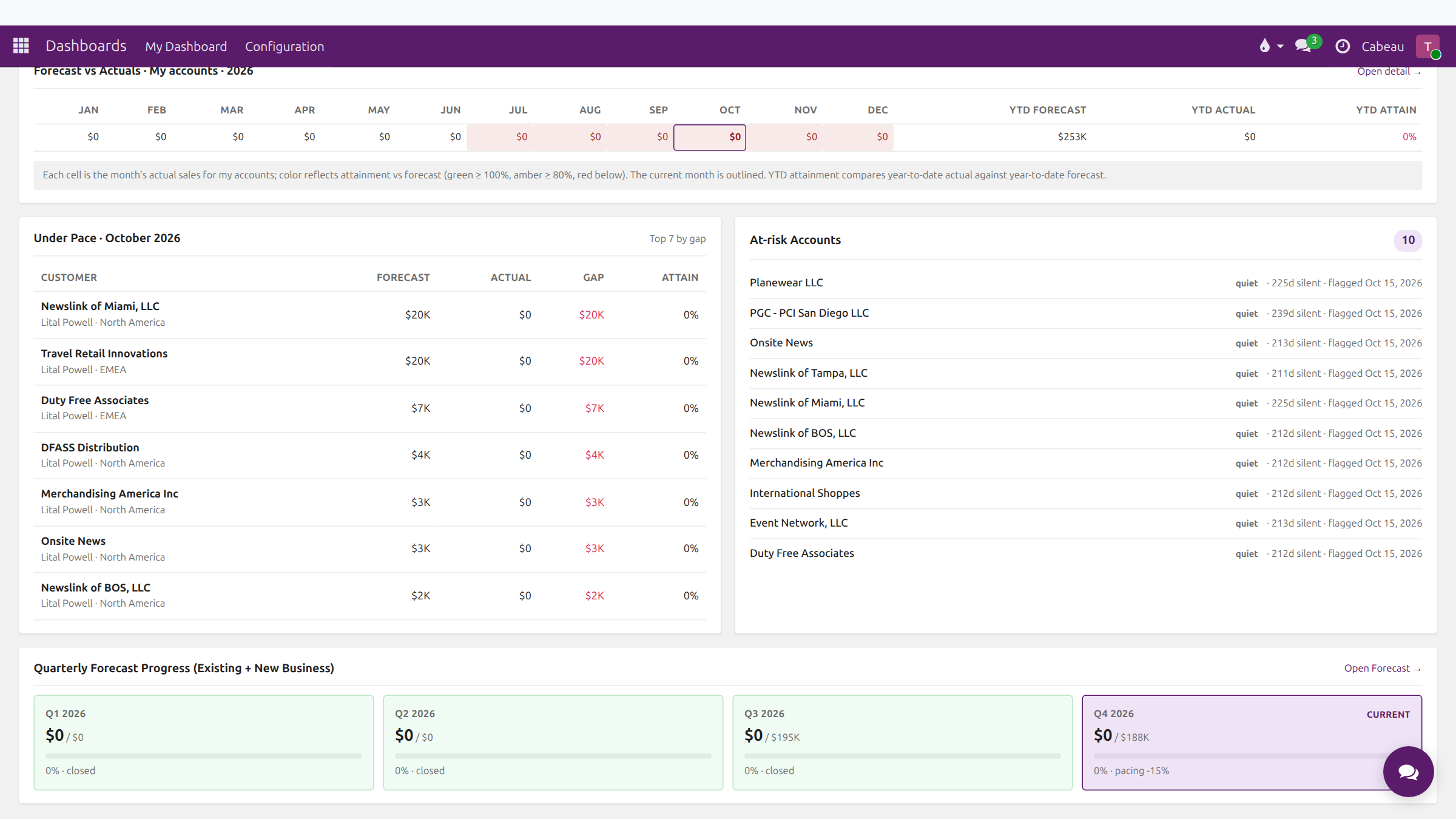
- Your dashboard gathers the accounts that need a call under At-risk Accounts, with days silent and the date each was flagged.
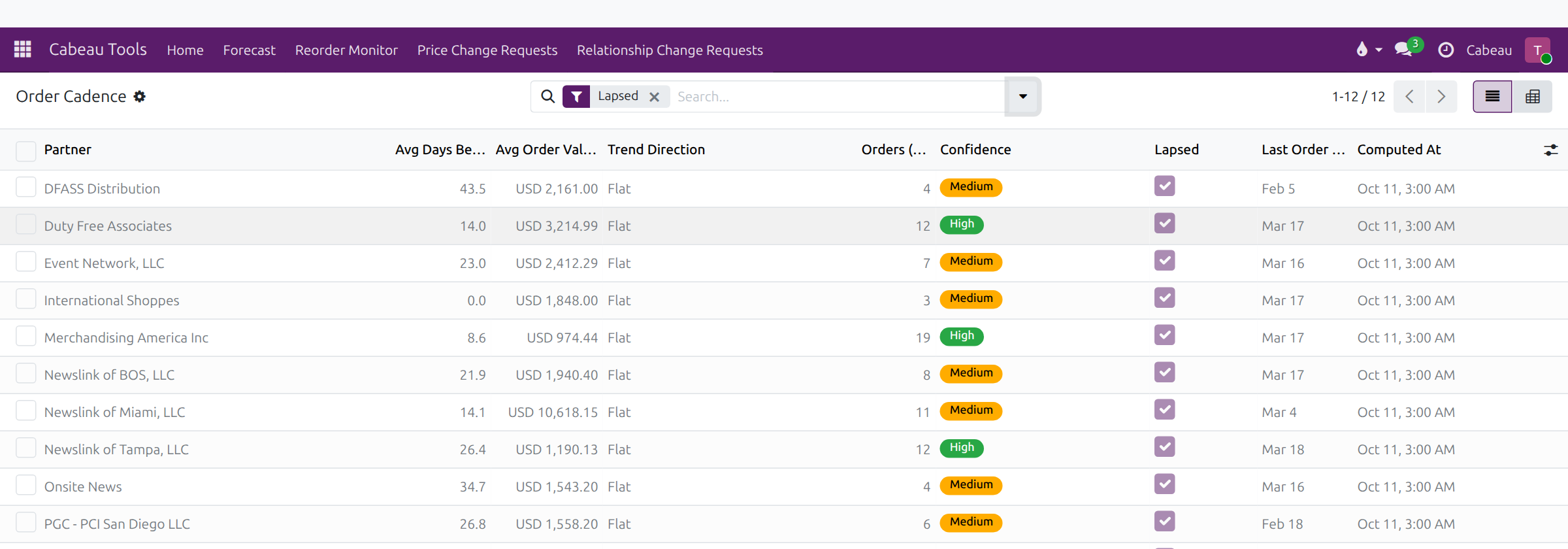
- Cabeau Tools, Reorder Monitor, Order Cadence lists every account you manage. The Lapsed filter shows the ones overdue.
- When an account passes its usual gap plus the slack for its tier, the Hub creates a reach out task on the account.
- That task goes to the account's primary account manager. As secondary account manager, you work from this board instead.
- Today the reminder arrives five days ahead of the expected order, and it does not escalate to the VP of Sales.
- That is how reorder alerts work today.
1. Read the account’s rhythm
Section titled “1. Read the account’s rhythm”Open the account and its Order Cadence tab: the usual number of days between orders, the last order, and whether the account has lapsed, meaning no confirmed order within its expected window.
2. Check who needs a call
Section titled “2. Check who needs a call”At-risk Accounts on your dashboard lists the accounts that have gone quiet, with days silent and when each was flagged.
3. Work the full list
Section titled “3. Work the full list”Cabeau Tools > Reorder Monitor > Order Cadence lists every account you manage. Filter to Lapsed for the overdue ones.
4. The reach out task
Section titled “4. The reach out task”When an account passes its usual gap plus the slack for its tier, the Hub places a Reach out task on the account for its primary Account Manager. The Hub is set to remind five days ahead of the expected order.
The primary Account Manager calls the customer, logs what happened in the chatter, and marks the task Done.