
Meetings
Note-taker joining meetings
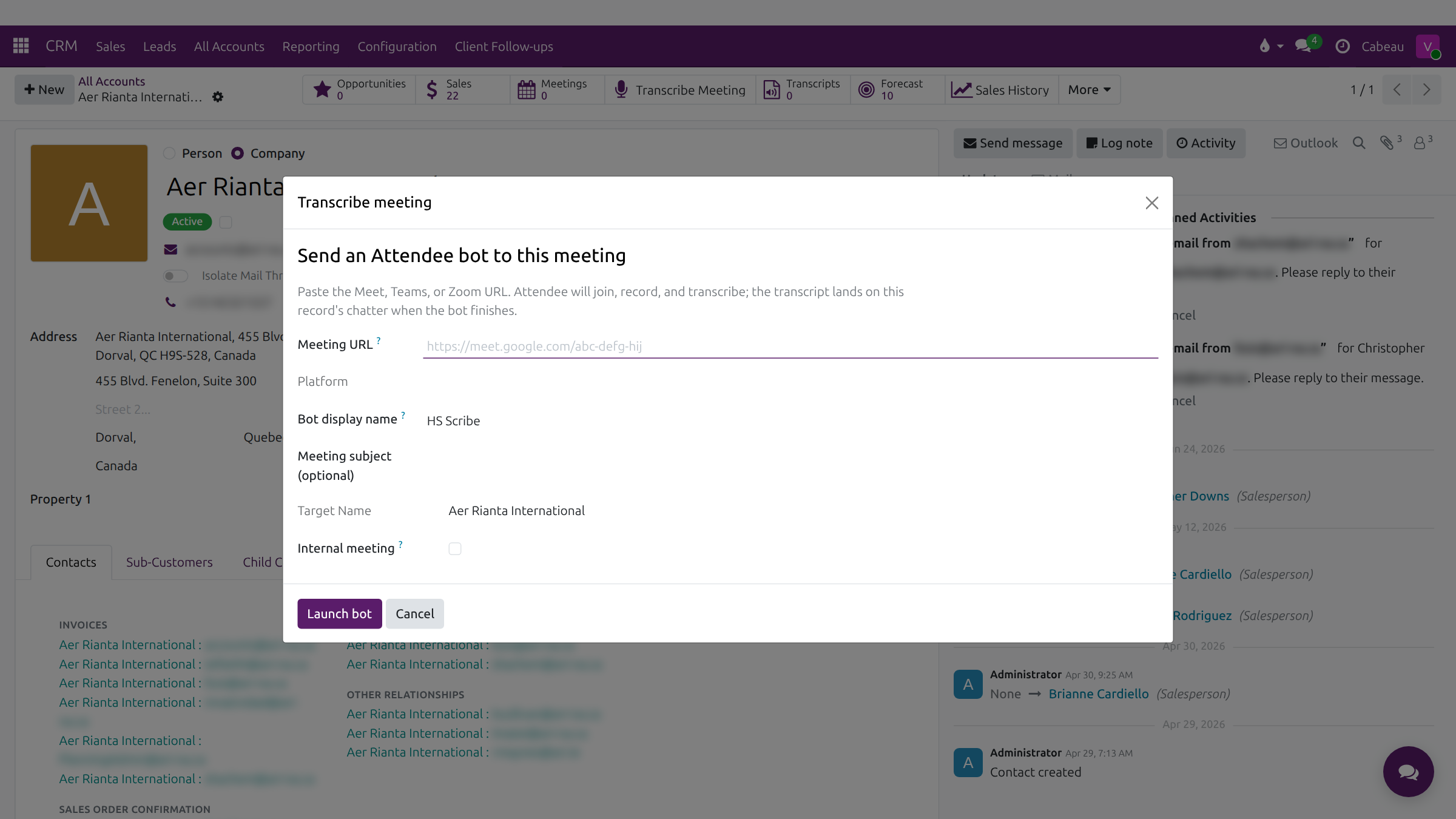
Section titled “Note-taker joining meetings”- Launch it yourself: on the account, select Transcribe Meeting, paste the Teams, Meet or Zoom link, and select Launch bot. The note-taker, HS Scribe, joins, records and transcribes.
- Calendar meetings: a meeting synced from your calendar shows the Detected meeting URL and an Auto-transcribe setting for the note-taker.
Transcripts, minutes and tasks
Section titled “Transcripts, minutes and tasks”When the meeting ends, the transcript is filed on the account under Transcripts. The Hub writes the minutes (attendees, topics, key decisions, next steps) and creates the follow-up tasks, each with an assignee and due date. Recent MOM on the dashboard lists them. Transcripts are private to the people who attended.
Transcript
- This video follows a meeting from the note-taker joining the call to the minutes and tasks it produces.
- On an account, Transcribe Meeting sends the note-taker into a Teams, Meet or Zoom call.
- Paste the meeting link, check the platform and subject, and launch the bot. It joins, records and transcribes.
- When the call ends, the transcript lands on the account, under Transcripts.
- Recent MOM on your dashboard lists the meetings the Hub has summarised, with how many tasks each produced.
- Open one to read the minutes: attendees, topics, decisions and next steps, written from the transcript.
- The Hub turns the next steps into tasks for the people named, and notes how many it created.
- Send MOM emails the minutes to the attendees. Regenerate MOM writes them again from the transcript.
- That is how a meeting becomes minutes and tasks.